Storing and Selecting Favourite Stations
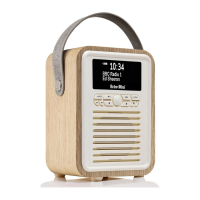
The Retro Mini can store up to 30 stations DAB radio and 30 stations FM radio stations. Follow the steps
below to store and select your favourite stations
To store a Favourite station:
1. Tune to the DAB or FM radio station you want to store.
2. Press and hold the FAVOURITE button to setup the favourite list. Using Left and Right button to
navigate the number you want to store.
3. Press Centre button to conrm your selection
To recall a Favourite station when listening to DAB or FM radio
1. To tune to the favourites, press FAVOURITE button to access.
2. Press Left and Right button to navigate your desired favourite station and press Centre button to conrm.
Bluetooth
If your phone, tablet or any Bluetooth devices is capable of storing audio les, you can use Bluetooth to stream any
music stored in your Bluetooth devices to Retro Mini.
1. To switch to BLUETOOTH press MODE button repeatedly until the display shows Bluetooth.


 To Next Page