19
Telephone operation
Make a call
To make a call on a cordless handset:
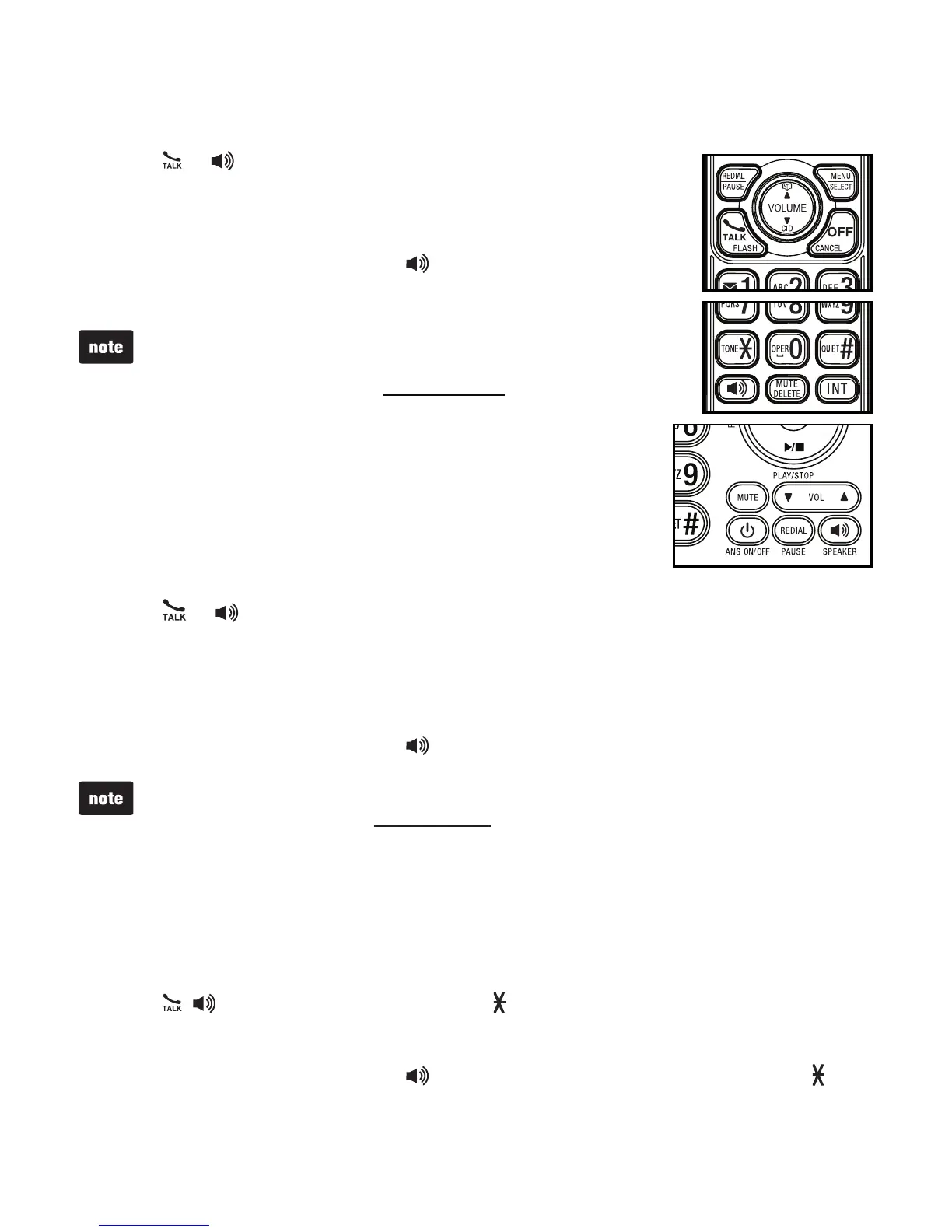
Press
or .
When you hear a dial tone, dial the number.
To make a call at the telephone base:
Lift the corded handset, or press /SPEAKER.
When you hear a dial tone, dial the number.
The screen displays the elapsed time as you talk (in
hours, minutes and seconds).
While entering numbers, press and hold PAUSE to
insert a dialing pause (a P appears).
•
•
Predial a call
To predial a call on a cordless handset:
Enter the telephone number.
Press DELETE or CANCEL to make corrections.
Press or to dial.
To predial a call at the telephone base:
Enter the telephone number.
Press X/DELETE to make corrections.
Lift the corded handset, or press /SPEAKER to dial.
The screen displays the elapsed time as you talk (in hours, minutes and seconds).
While entering numbers, press and hold PAUSE to insert a dialing pause (a P appears).
If you make a predial call while the telephone line is in use, the screen displays
Unable to call.
•
•
•
Answer a call
To answer a call on a cordless handset:
Press , or any dialing key (0-9, TONE or QUIET#).
To answer a call at the telephone base:
Lift the corded handset, or press /SPEAKER or any dialing key (0-9, TONE
or QUIET#).
1.
2.
1.
2.
1.
•
2.
1.
•
2.
•
•


 To Next Page