EN - 10
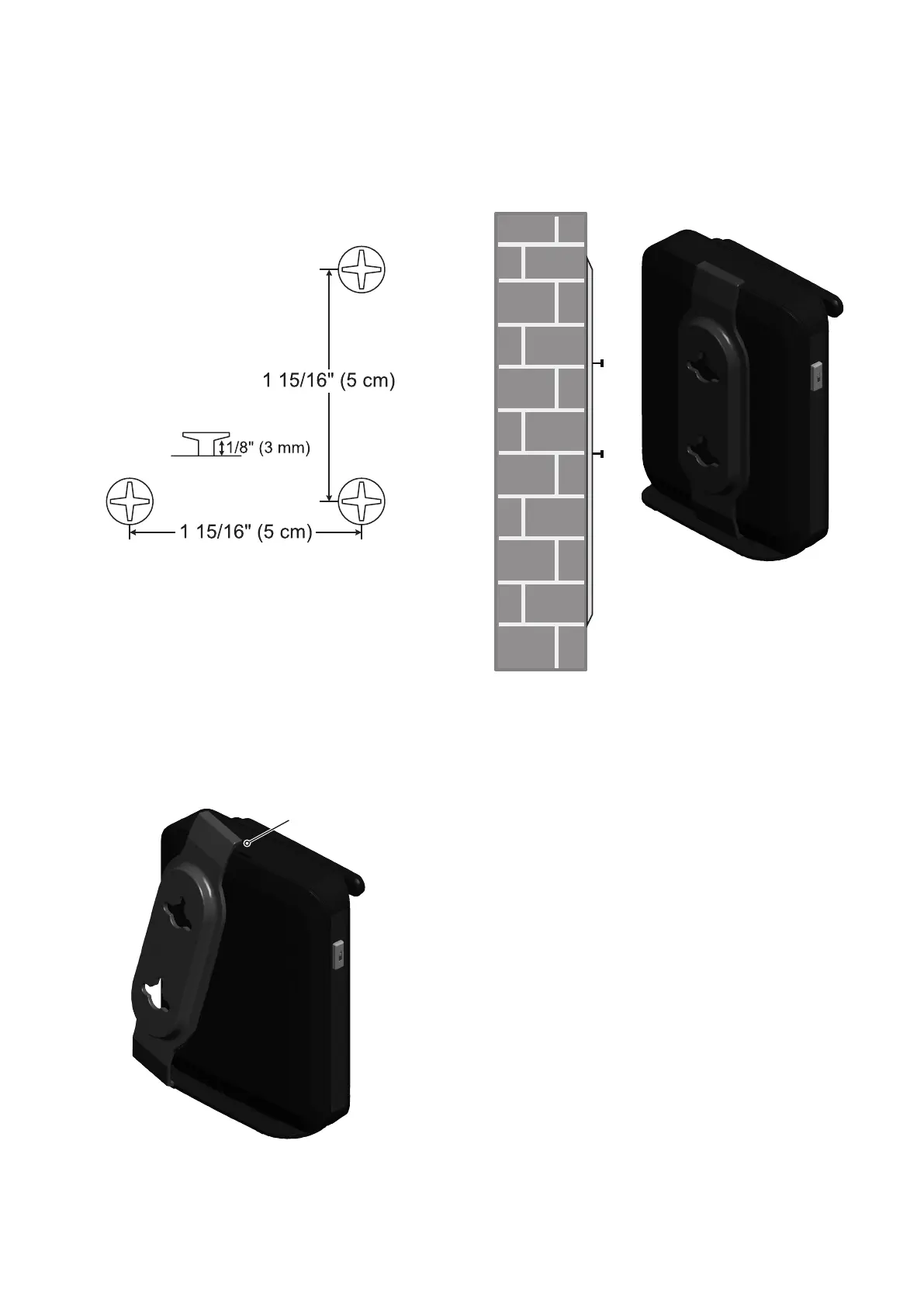
To mount the base station on the wall
1. Install two mounting screws on the wall.
Choose screws with heads larger than
5 mm (3/16 inch) in diameter (1 cm /
3/8 inch diameter maximum). The screw
centers should be 5 cm (1 15/16 inches)
apart vertically or horizontally.
2. Tighten screws until only 3 mm (1/8 inch)
of the screws are exposed.
3. Attach the mounting plate to the top of the
base station. Insert the tab into the slot
and then push the plate in at the bottom
of the base station until the mounting
plate
clicks into place.
4. Check to make sure the plate is secure at
top and bottom. It should be flush with the
base station body.
5. Place the base station over the mounting
screws.
6. Connect the Ethernet cable and power as
described on page 9.
Insert tab into slot.



 To Next Page