EN - 11
English
Handset Charger Installation
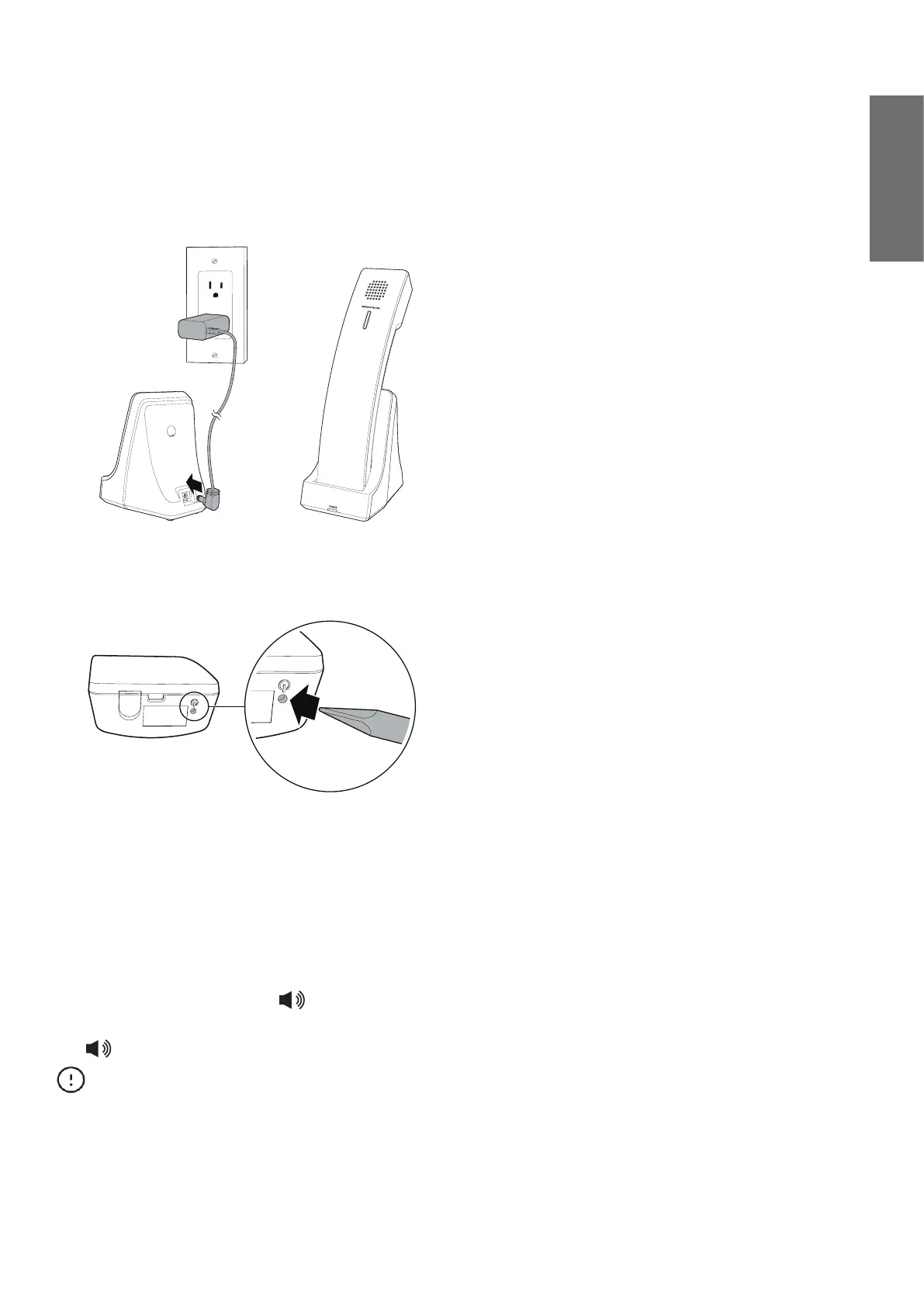
1. Install the handset charger as shown
below.
• Make sure the supplied power adapter
is securely plugged into an outlet not
controlled by a wall switch.
2. Bend a small paperclip and gently insert
it in the handset battery ON pinhole to
turn on the cordless handset.
• Without turning on the battery, the
handset cannot be charged or
operated.
• The battery is fully charged after 16
hours of continuous charging. For best
performance, keep the handset in the
handset charger when not in use.
3. On the handset, press /SPEAKER.
Listen for a dial tone, and then press
/SPEAKER again to hang up.
CAUTIONS
Use only the supplied power adapter. The
supplied power adapter is not designed for
use in any other devices. Misuse of it on your
other devices shall be prohibited. To order a
replacement, call +44 (0)1706 694 070 or
email ukca@trustdistribution.com.
Installation Notes
Avoid placing the base station, handset, or
handset charger too close to:
• Communication devices such as
television sets, DVD players, or other
cordless telephones
• Excessive heat sources
• Noise sources such as a window with
traffic outside, motors, microwave ovens,
refrigerators, or fluorescent lighting
• Excessive dust sources such as a
workshop or garage
• Excessive moisture
• Extremely low temperature
• Mechanical vibration or shock such as
on top of a washing machine or work
bench



 To Next Page