www.vtechphones.com
3
Installation
Basic operation
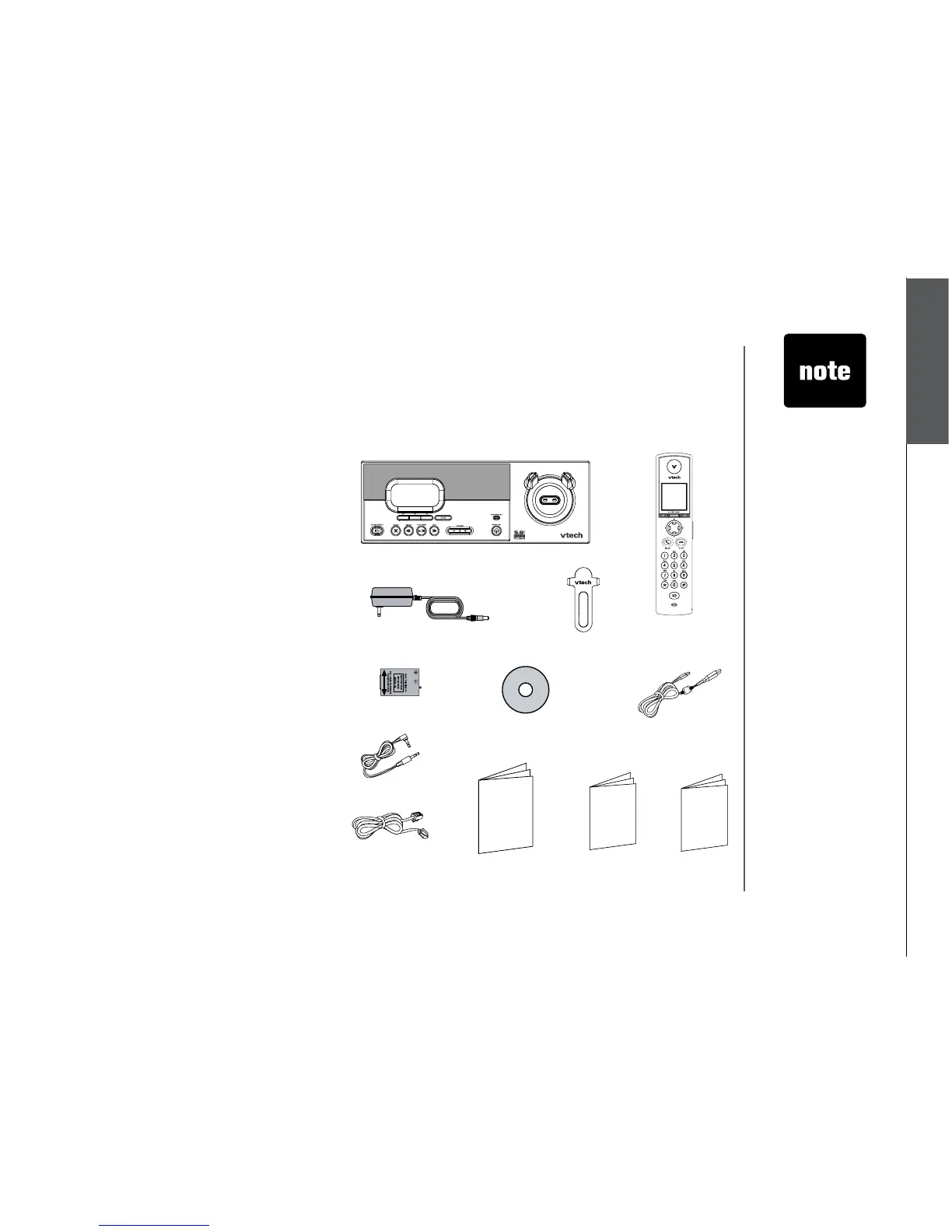
Parts checklist for i5871:
Installation
1. Base unit
2. Handset
3. Base power adapter
4. Belt clip
5. Battery
6. VTech phonebook manager CD
7. USB cable
8. Audio patch cable
9. Telephone line cord
10. User’s manual
11. Quick start guide
12. Special features guide
Remember to save your sales receipt and original packaging in case it is necessary to ship your
telephone for warranty service. Check to make sure the telephone package includes the following:
• To purchase
replacement
batteries,
visit us on the
web at www.
vtechphones.
com or
call VTech
Communications,
Inc. at 1 (800)
595-9511) in the
United States. In
Canada, call 1
(800) 267-7377.
1. Base unit
2. Handset
4. Belt clip
10. User’s manual 11. Quick start guide
5. Battery
8. Audio patch cable
6. VTech phonebook
manager CD
3. Base power adapter
12. Special
features guide
9. Telephone line
cord
7. USB cable



 To Next Page