10
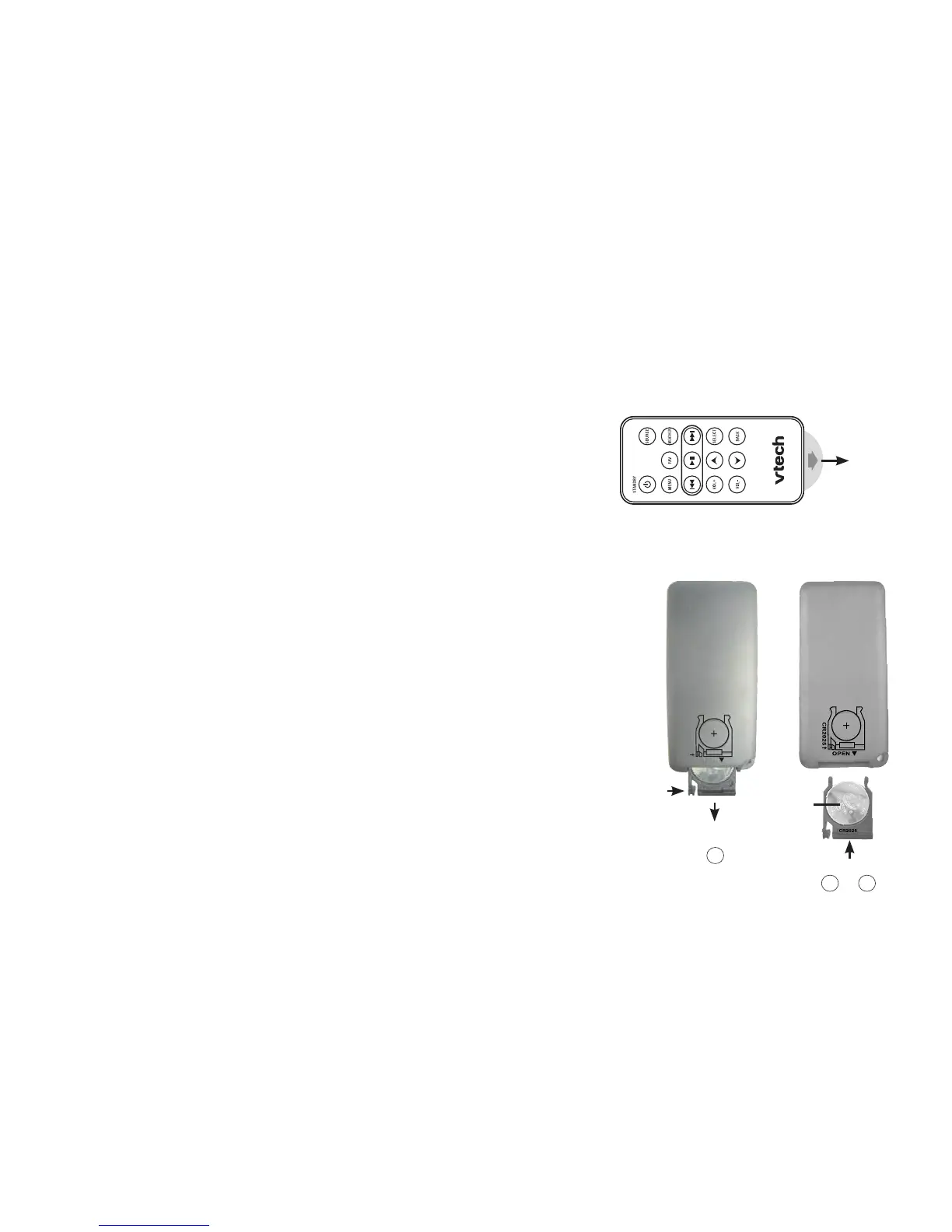
Remote control installation
The battery is already installed in the remote control. However,
you must remove the plastic tab before use (as shown to the
right).
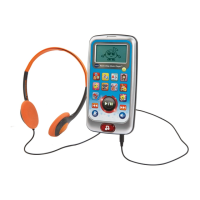
Replace remote control battery
Use a CR2025 lithium cell battery (sold separately) or equivalent to
replace the remote control battery. To replace the battery:
Push and hold the tab on the battery compartment to the right
and pull the compartment out of the remote control.
Remove the old battery and insert a new CR2025 lithium cell
battery or equivalent into the battery compartment with the
positive side (+) facing up.
Push the battery compartment into the remote control until it
clicks into place.
1.
2.
3.
Pull
Installation


 To Next Page