30
Source
Computer setup for My Music - Windows
Share a folder on Windows XP
For the IS9181 to access the music on your computer, you must share the folder where the music
is located.
Right click on the folder you wish to share.
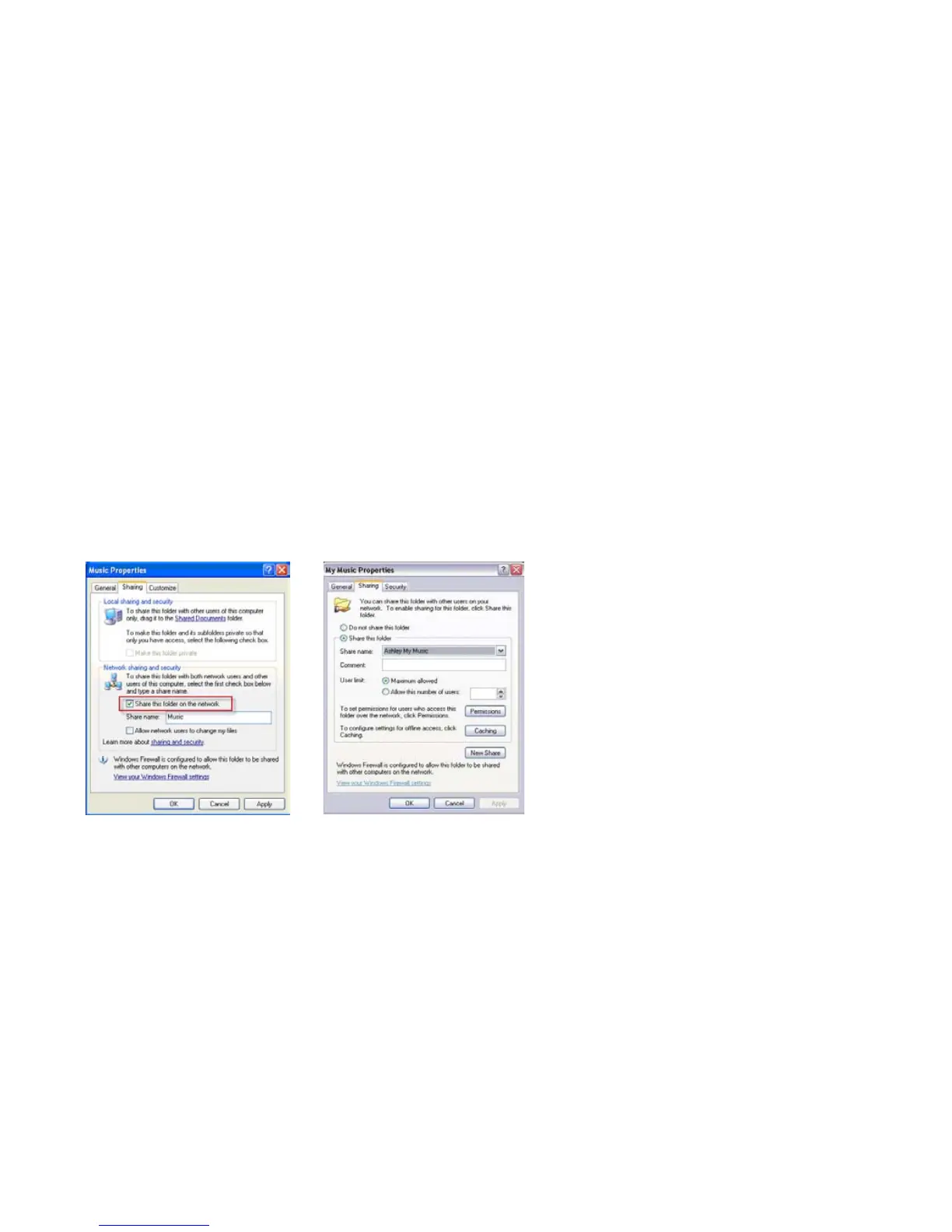
Click on Sharing and Security.
If you see one of the two screens shown below:
a. Check the box next to: Share this folder on the network.
b. Click Apply.
-OR-
1.
2.
3.


 To Next Page