43
Basic operation
Source
Source
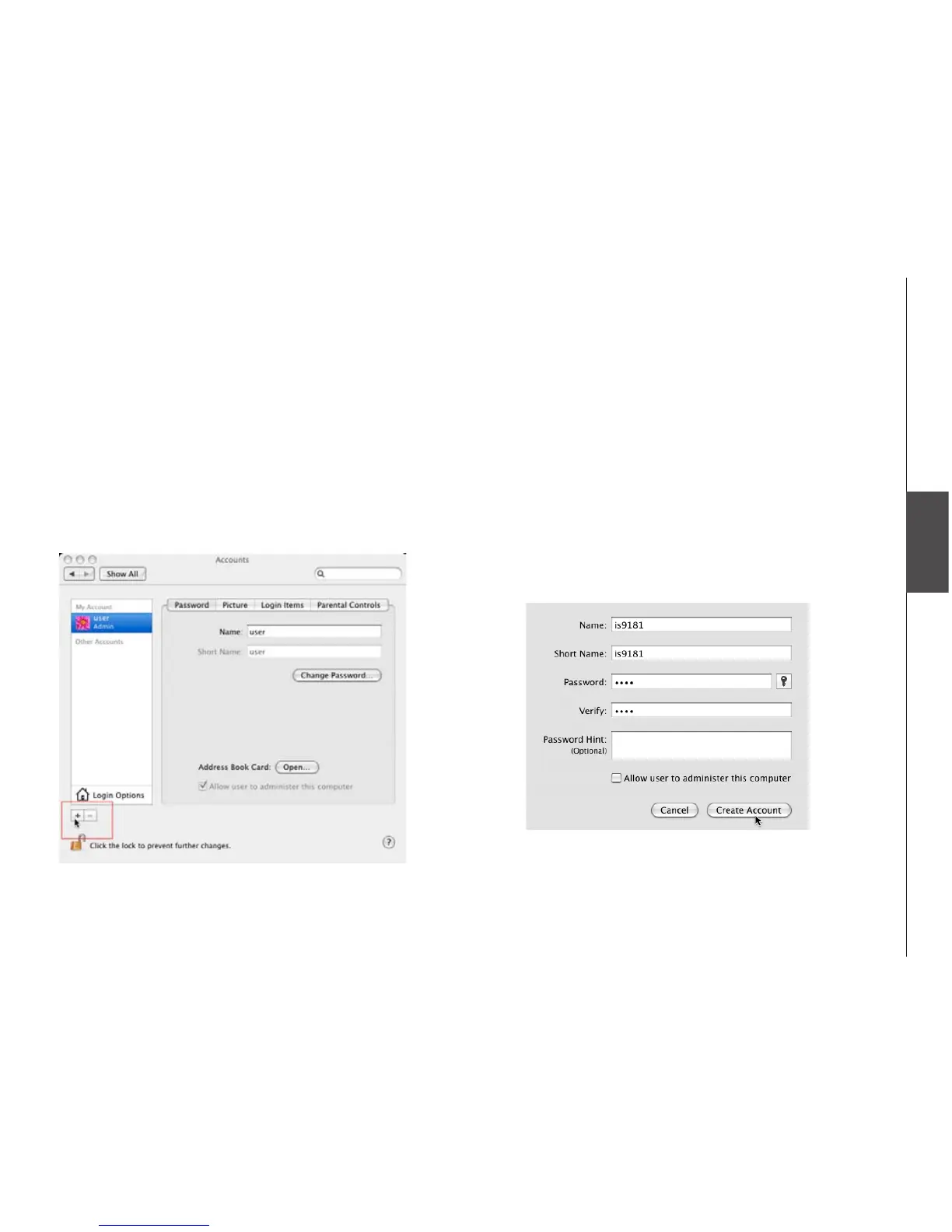
Under the Apple menu, select System
Preferences and choose the Accounts pane.
Click the “+” symbol to add an account. You
may need to click the lock icon on the bottom
left to edit the settings.
1.
2.
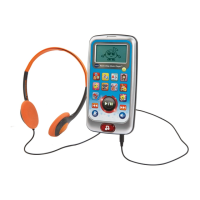
3. You must name the account IS9181 and
create a password. This user does not have
to administer the computer.
The password should have a minimum
of four characters and a maximum of 16
characters. The password cannot include
spaces, commas or equal signs.
Computer setup for My Music - Mac OS 10.4
Create the IS9181 user account and share the folder


 To Next Page