50
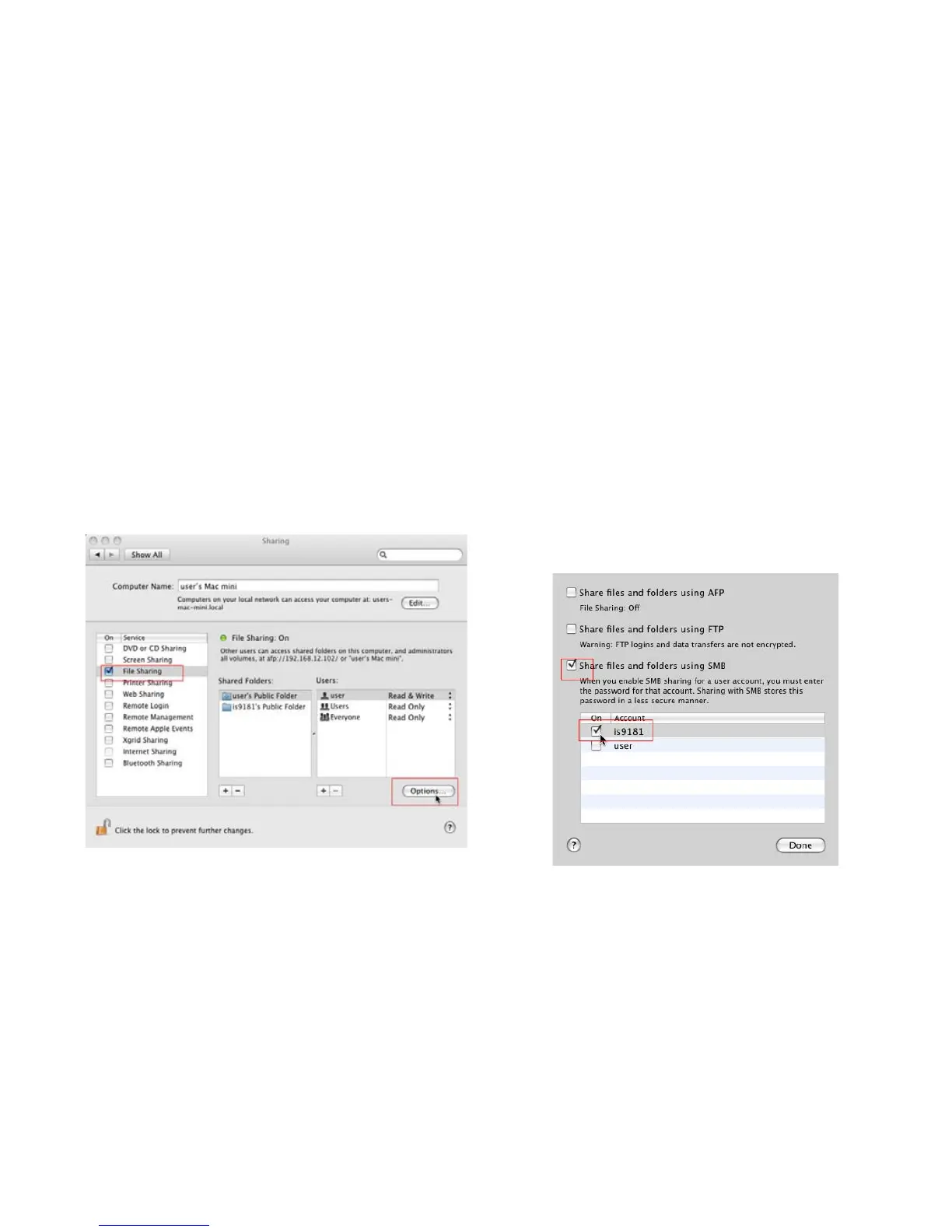
4. Select the Sharing pane from the System
Preferences application. Ensure File Sharing
box is checked and selected. Click the
Options… button.
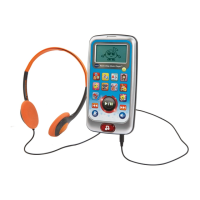
5. When you press the “Options…” button, you
will be able to select the type of le sharing.
Ensure the “Share les and folders using
SMB” box is checked, and check the box
for the user IS9181. Press the “Done” when
nished.
Computer setup for My Music - Mac OS 10.5
Create the IS9181 user account and share the folder
Source


 To Next Page