14
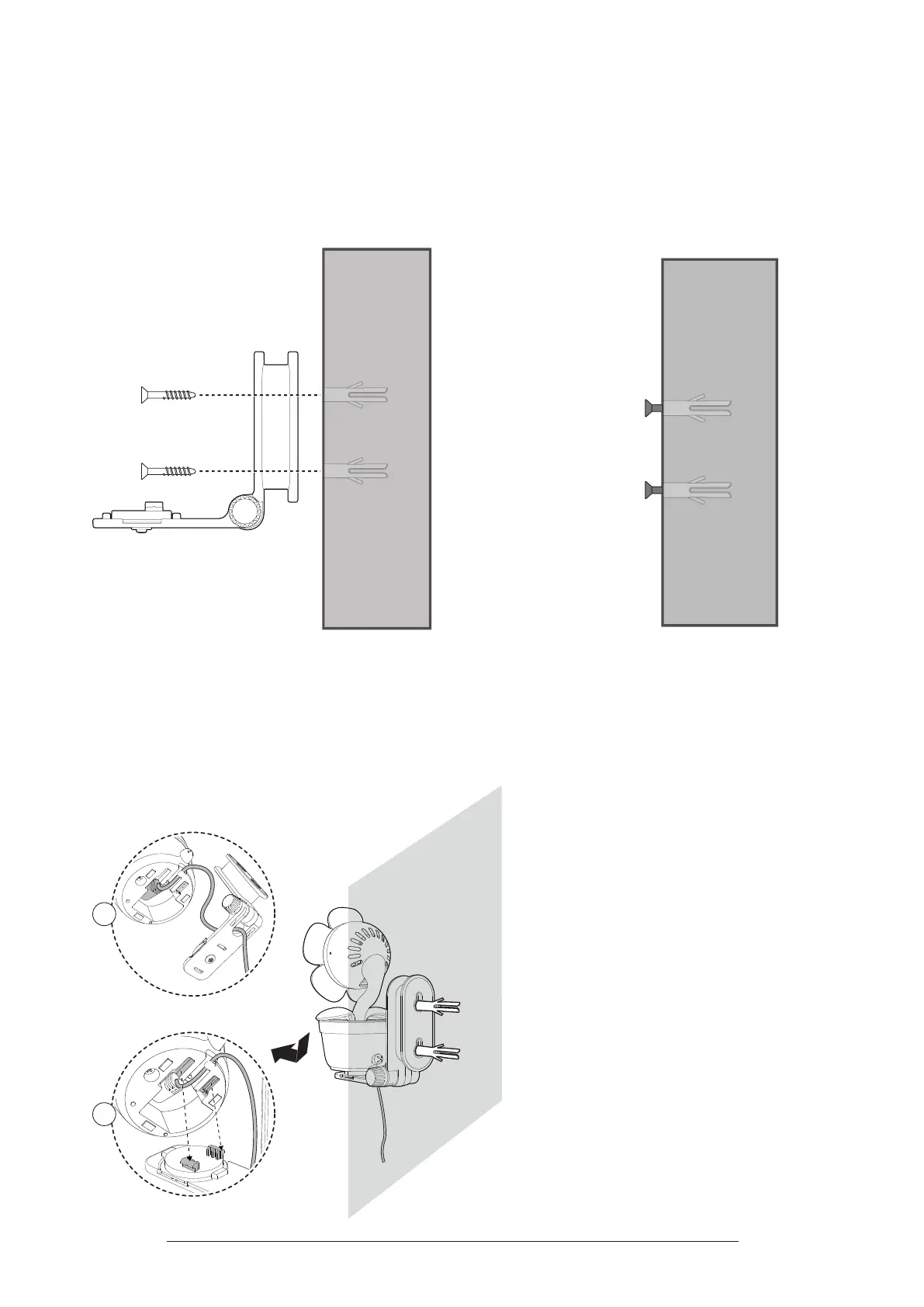
3� Align the wall mount bracket and screws with the holes in the wall as shown.
Tighten the screw in the middle hole rst, so that the wall mount bracket
position is xed. You can tighten the other screw in the top hole.
OR
Insert the screws into the holes and tighten the screws until only 6.5mm of the
screws are exposed.
OR
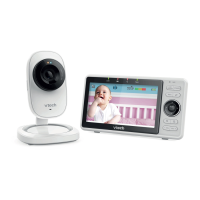
4� Place the camera on the wall mount bracket. Insert the mounting studs into the
wall mount holes. Then, slide the camera forwards until it locks securely. Align
the holes on the wall mount bracket with the screws on the wall, and slide the
wall mount bracket down until it locks into place.
1
2



 To Next Page