12
13
Call waiting
When you subscribe to call waiting
service with your telephone service
provider, you hear an alert tone if there is
an incoming call while you are on another
call.
• Press FLASH to put the current call on
hold and take the new call.
• Press FLASH at any time to switch back
and forth between calls.
If you also subscribe to caller ID service, it
will let you see the name and telephone
number of the caller during call waiting.
It may be necessary to change your
telephone service to use this feature.
Contact your telephone service provider
if:
• You have both caller ID and call
waiting, but as separate service (you
may need to combine these service);
• You have only caller ID service, or only
call waiting service; or
• You do not subscribe to caller ID or call
waiting services.
There are fees for caller ID services. In
addition, services may not be available in
all areas.
Chain dialing
Use this feature to initiate a dialing
sequence from numbers stored in the
directory, caller ID log or redial list while
you are on a call.
Chain dialing can be useful if you wish
to access other numbers (such as bank
account numbers or access codes)
from the directory, caller ID log or
redial list.
To access a number from the
directory while on a call:
1. Press MENU.
2. Press SELECT to select Directory.
3. Press or to scroll to the desired
entry.
4. Press SELECT to dial the displayed
number.
To access a number from the caller ID
log while on a call:
1. Press MENU.
2. Press or to choose Caller ID log,
and then press SELECT.
3. Press or to scroll to the desired
entry.
4. Press SELECT to dial the displayed
number.
To access a number from the redial
list while on a call:
1. Press REDIAL to enter the redial list.
2. Press , , or REDIAL repeatedly to
browse to the desired entry.
3. Press SELECT to dial the displayed
number.
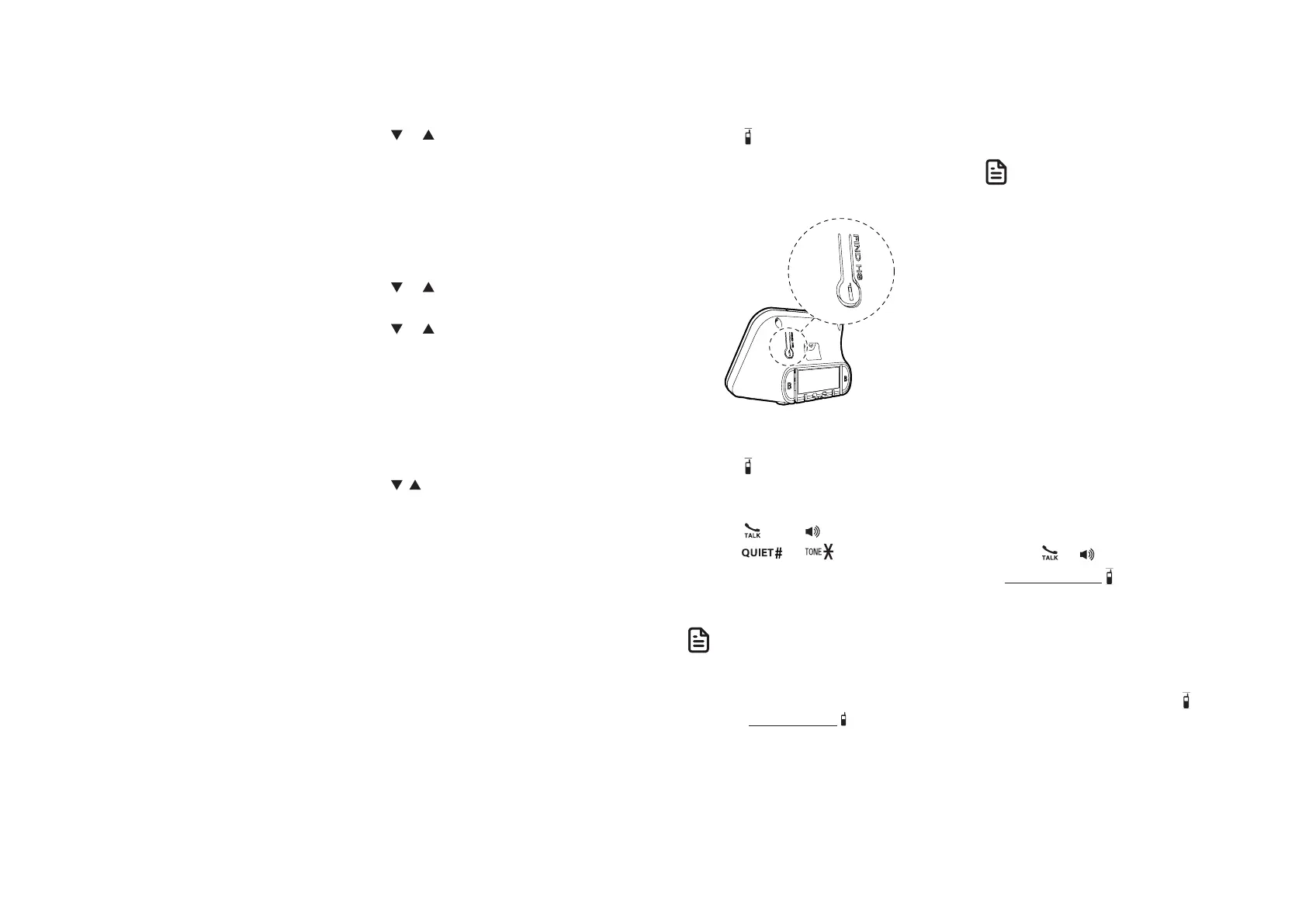
Find handset
This feature helps you find all system
handsets.
To start paging:
• Press /FIND HS at the back of the
telephone base.
All idle handsets ring and display
** Paging **.
To end paging:
• Press /FIND HS again at the back of
the telephone base.
-OR-
• Press , OFF, or any dialing key
(0-9,
,
or ) on the handset.
-OR-
• Place the handset in the telephone
base or charger.
• Press MUTE to turn off the ringer of a
handset temporarily. Paging tone continues
on the other handset.
• Do not press and hold /FIND HS for more
than four seconds. It may lead to handset
deregistration. If the handset displays To
register HS... and ...see manual, refer to
the Frequently asked questions section to
register the handset back to the telephone
base.
Bluetooth®
Your telephone system is enhanced
with Bluetooth feature. You can pair a
Bluetooth headset to your telephone
system and answer calls with your
Bluetooth headset.
• Before you begin, make sure that
your Bluetooth enabled headset is not
connected to any other Bluetooth device.
If you have trouble pairing your Bluetooth
headset to your VG231/VG231-2/VG231-3/
VG231-4/VG231-5 telephone system, try
turning off the Bluetooth feature of the
nearby devices that your Bluetooth headset
has previously paired.
• Bluetooth wireless technology operates
within a short range (a maximum of
approximately 15 feet) from the telephone
base. Keep connected headset within this
range.
Pair and connect a Bluetooth
headset
1. Set your Bluetooth headset to pairing
mode. Refer to your Bluetooth
headset user’s manual to learn how.
2. Press or on the handset.
3. Press and hold /FIND HS at the back
of the telephone base for 4 seconds.
• The telephone then enters pairing
mode.
• The Bluetooth LED on the
telephone base flashes.
• To cancel pairing, press /FIND HS
at the back of the telephone base.
4. Press OFF on handset or place the
handset in the telephone base or
charger after pairing.
Bluetooth headset connection status:
• Pairing - while pairing to a Bluetooth
headset, the Bluetooth LED flashes
quickly.



 To Next Page