11
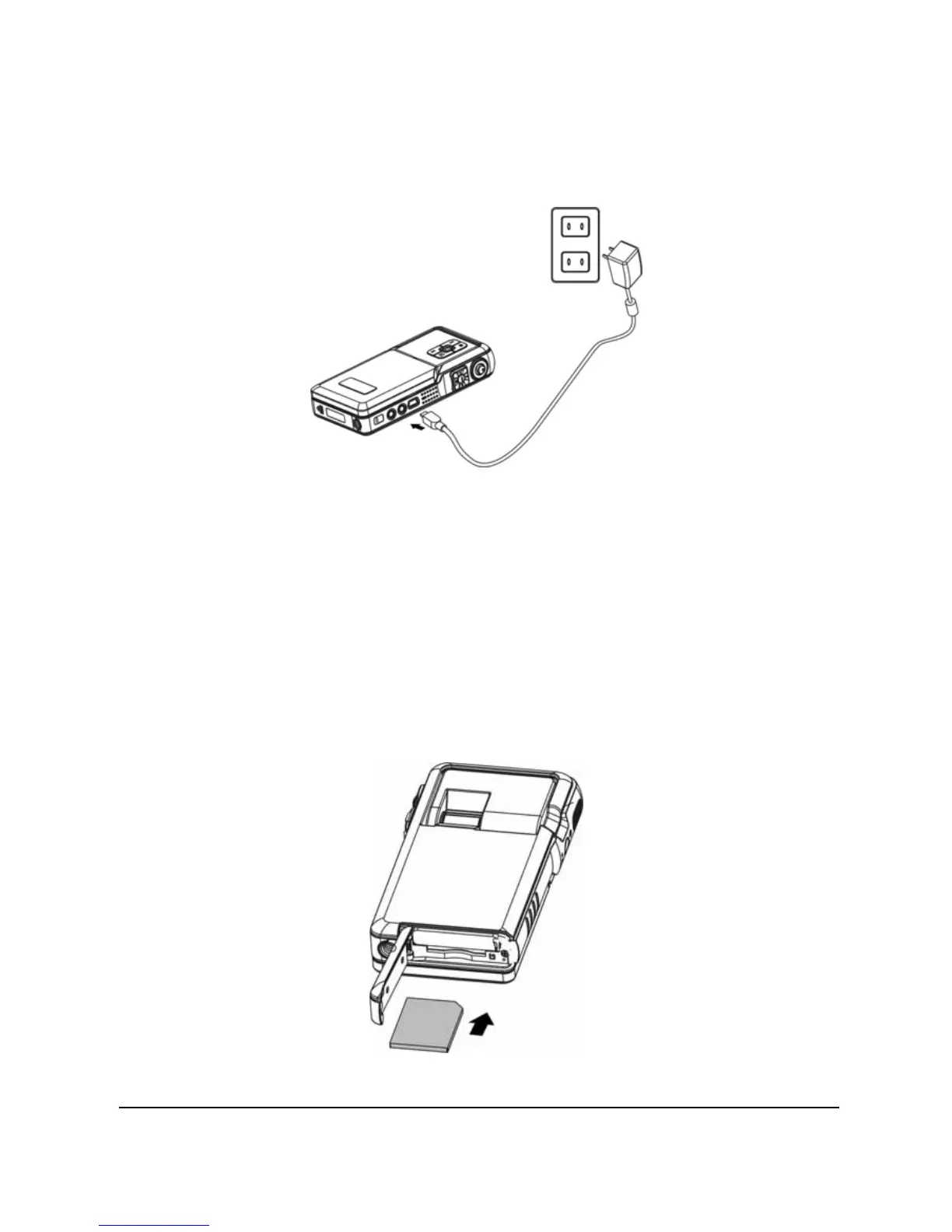
You can also use the AC adapter to charge your camera. Plug the
AC adapter into the wall outlet and connect the other end to your
camera to charge.
2.2 SD card
An SD card can be inserted into this digital video camcorder to
provide additional storage space.
To install an SD Card:
1. Open the battery door.
2. Insert an SD card as shown. Make sure the gold contacts
are facing down as shown.
3. Close the battery door.


 To Next Page