63
11 Remote control
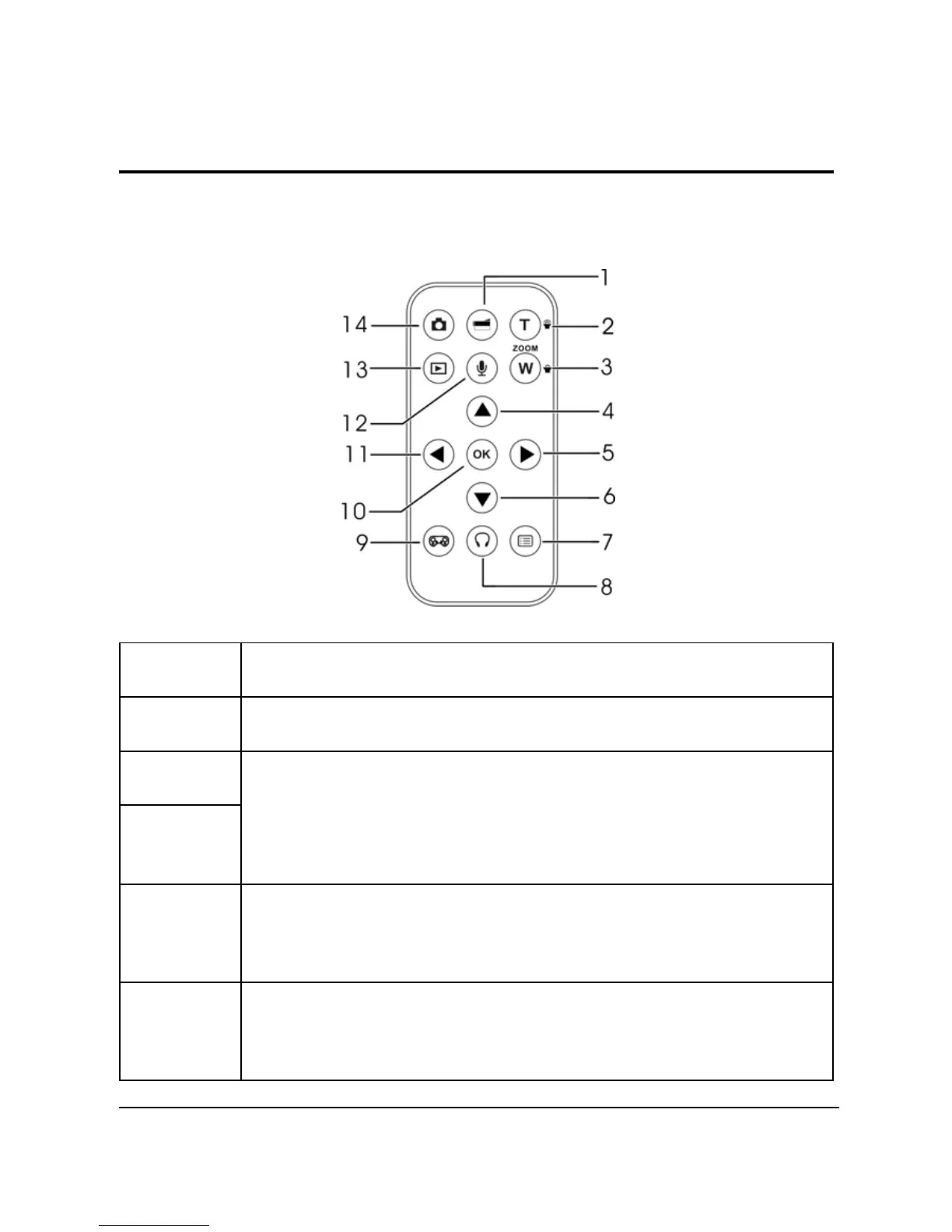
This camera provides IR remote control function.
Refer to the table below for button functions:
Number Description
1 Use to start/stop video recording.
2
3
1. Use to zoom in / out.
2. Use to adjust volume in Music and Voice play
modes.
4 1. Use to navigate the OSD menus.
2. Use to set self-timer.
5 1. Use to navigate the OSD menus.
2. Use to set White balance


 To Next Page