76
(4R) (5R)(3R)
Please locate the positioning sheet into the corresponding fixed
hole,then scan picture or name card!
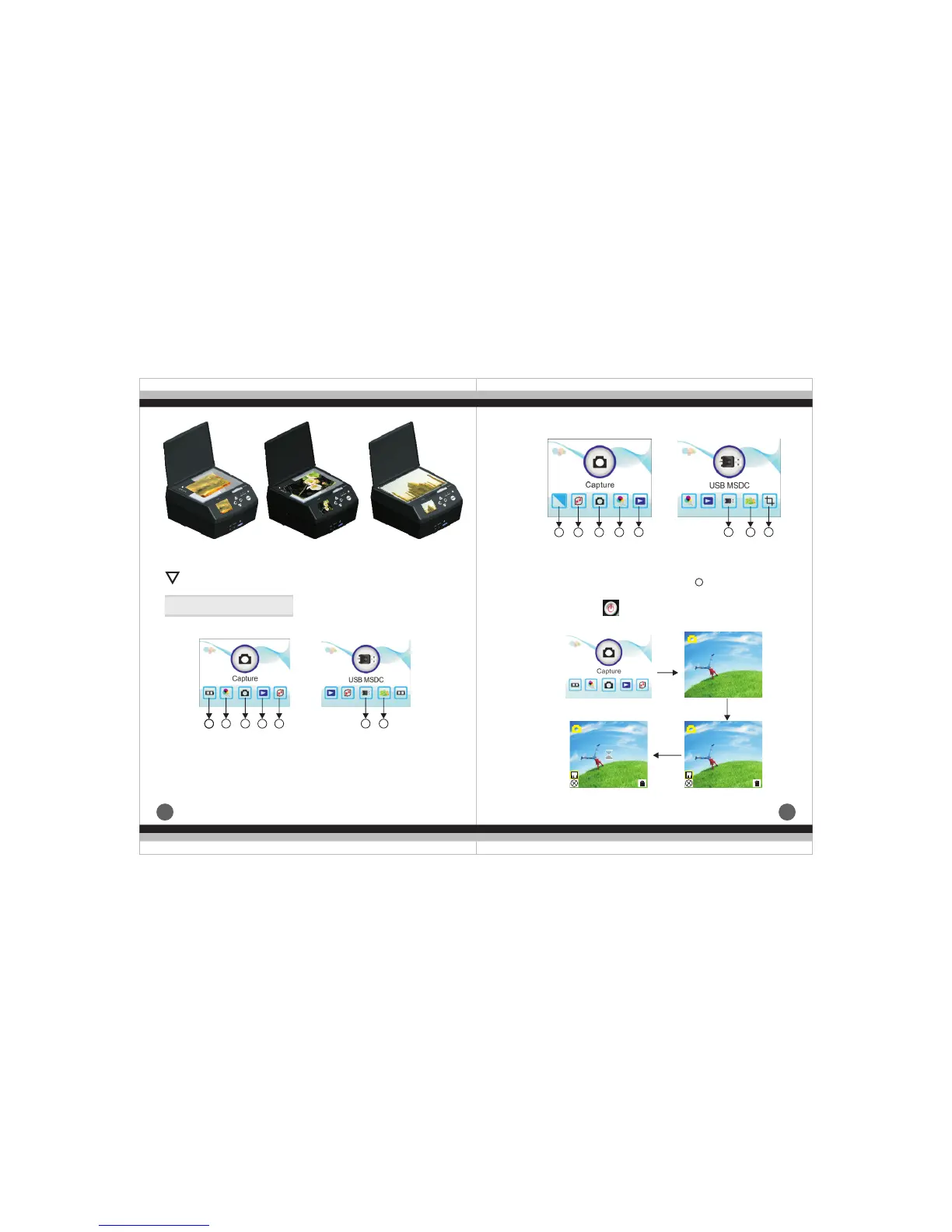
6.Operation Guide
(1).Introduction of Negative Mode Main Menu
①
②
③ Capture
④ Playback
Film
Resolution
① Effect
②
③ Capture
④ Resolution
Format
⑤Format
⑥USB MSDC
⑦Language
⑤Playback
⑥USB MSDC
⑦Language
Photo si ze
(2).Introduction of Picture Mode Main Menu
(3).
Capture Picture
a.Open by pressing , press ENTER into scan mode,under
this mode press SCAN and ENTER in turn to capture the current
image
!
11
2 3
4 5
6 7
1 2 3
4 5 6
7
8
8
ENTER
ENTER
SCAN
EV 0.0
EV 0.0
EV 0.0


 To Next Page