11
10
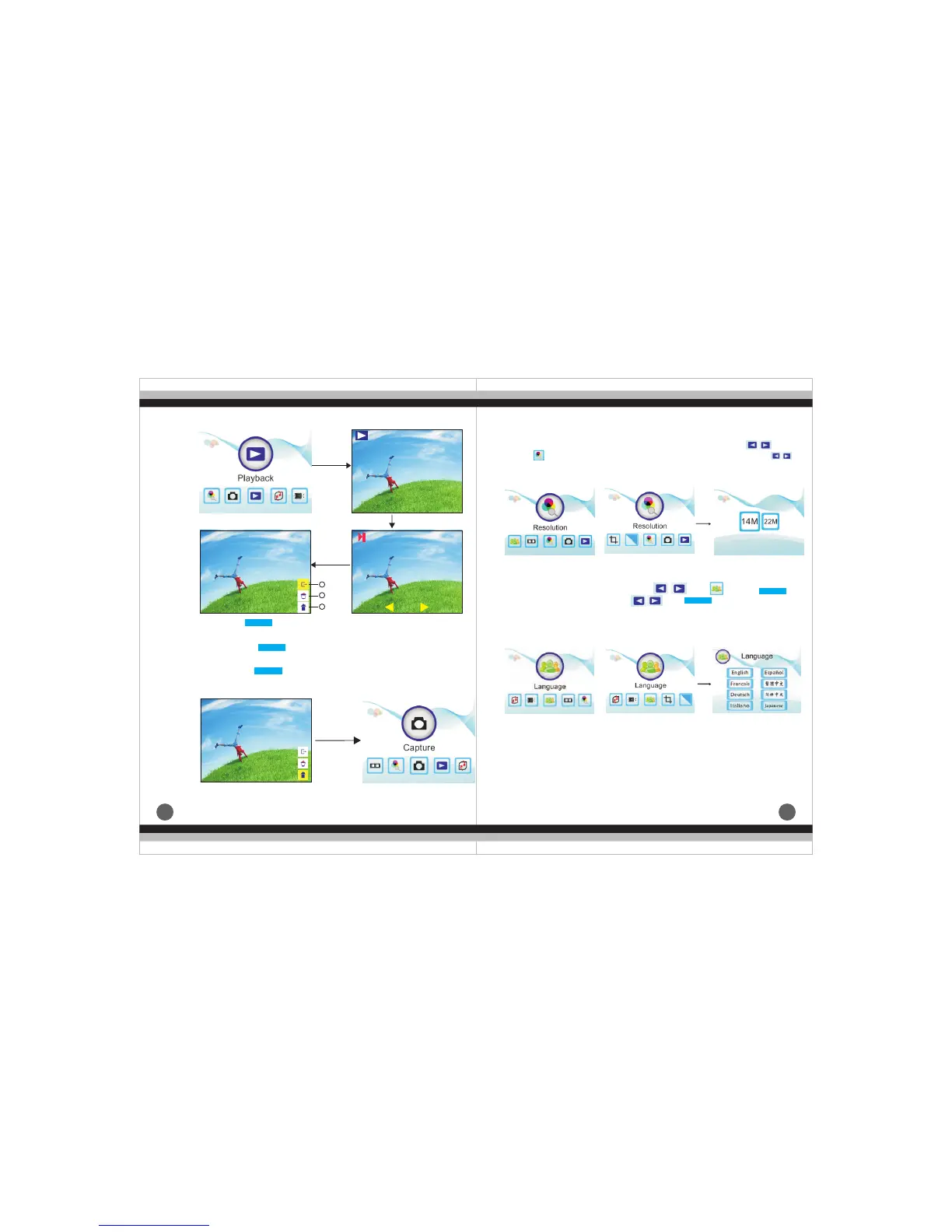
(6).Resolution choice of negative film and picture main menu Under
the negative film and picture main menu mode,press
until , press ENTER into image resolution choice, press
to choose 14M、22M.
Enter
Enter
or
or
③.
and enter main menu mode
Home: press button to exit the picture editing mode
Exit
Enter
Enter
Enter
1
2
3
① it
picture auto-playback mode.
.Ex : press to exit picture editing mode and enter the
②.
will be displayed on the screen
Delete:press to delete current pictur, and next picture
ENTER
ENTER
ENTER
ENTER
ENTER
Home
Enter
(7).Setting Language
Under main menu mode, press
chose language, then press and , one of following 8
language can be set: English、Franch、German、Italian、
Spanish、T-Chinese、S-Chinese、Japanese.
,unti , press to


 To Next Page