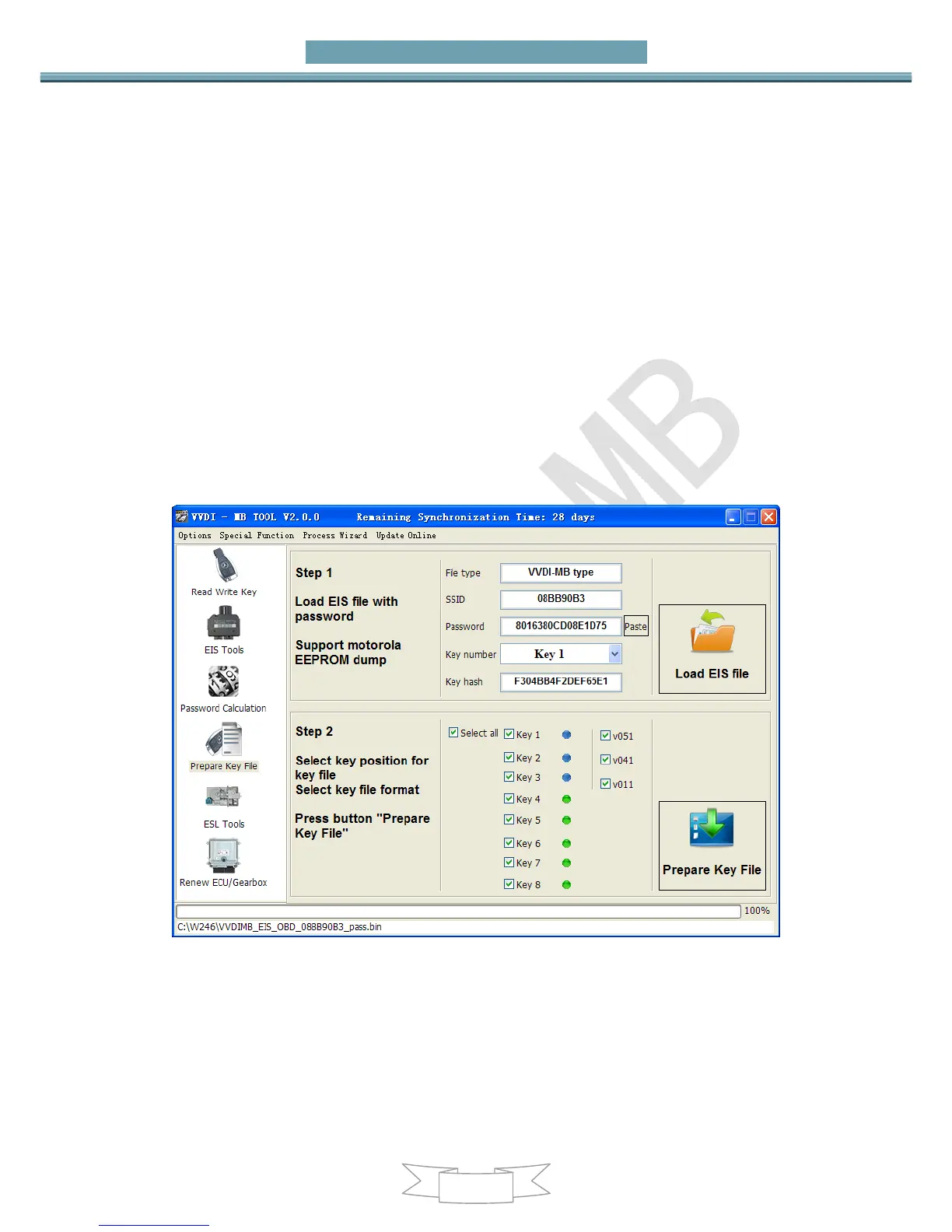
7. Prepare Key File
Prepare key file means prepare the key file which you will write to new key (online)
Step 1: Load EIS file with password. The file can auto detected by VVDI-MB TOOL
Support VVDI-MB type and old Motorola EEPROM dump file
If the loaded EIS don’t contain key password, paste your password with “Paste”
After load file key position show blue means it is used
After load file key position show green means it is unused
After load file key position show gray means it is disabled
Step 2: Press “Prepare Key File”. This function need online, about 20 seconds
It will prepare the key file after success find in server
After prepare key file, key position show green means success
After prepare key file, key position show red means failed


 To Next Page