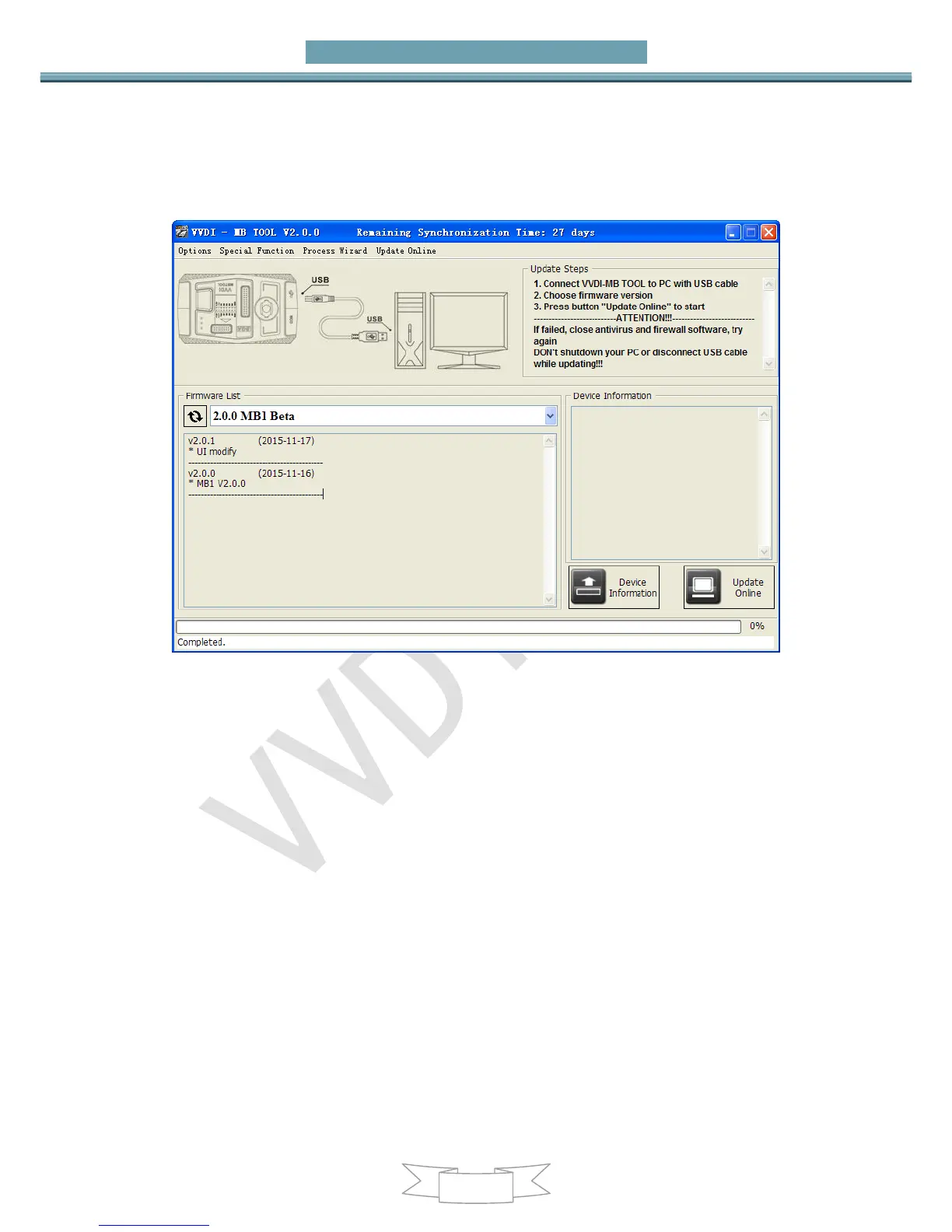
3) Press button Update Online, wait the progress end
4) If failed to get firmware list or get something like “communicate with server error!”
while update your device, close antivirus and firewall programs, try again. Change
your internet provider once failed again
5) DON’T shutdown your PC or disconnect USB cable while update device
Reflash Firmware List
Update Online Tool will connect to server automatically and download the newest
firmware information. You can press reflash picture button if there’s no display.
After you get information success, will display current support firmware list, the software
support by specify firmware and the mainly include update information
Device Information
After connect VVDI-MB TOOL to PC and install USB drivers, Press button Device
Information, will show you VVDI-MB TOOL Serial Number, current firmware version and


 To Next Page