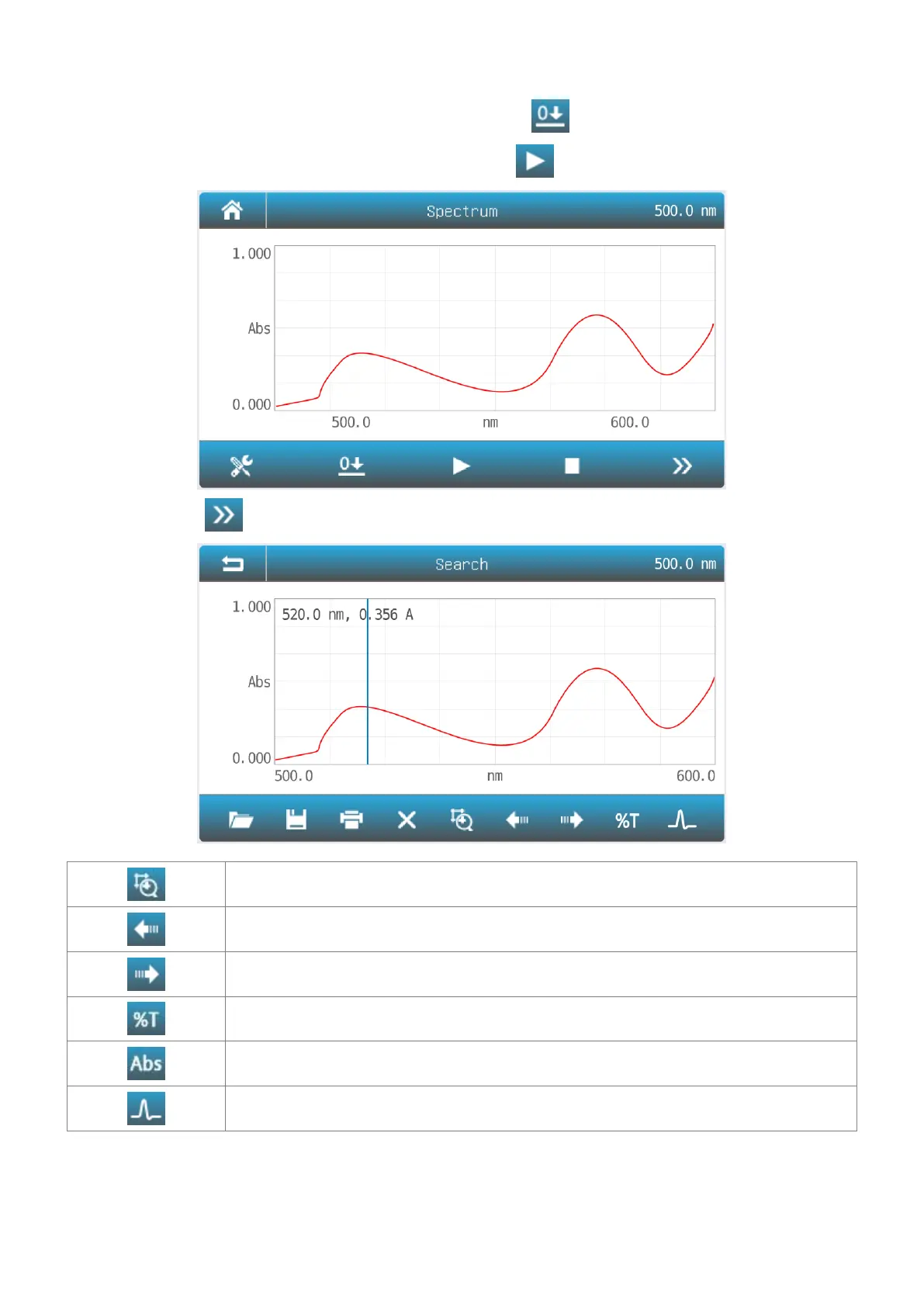
3. Press the item to select or key in the parameters, press the button Measure to accept the new parameters
and back to measurement interface.
4. Put the reference in the measurement channel, press the icon to scan baseline.
5. Put the sample in the measurement channel, press the icon to scan a sample and record the result.
6. Press the icon to browse the curve and result(s).
Scale Set the Coordinate value.
Left Moves the cursor to the left point(peak) to point(peak).
Right Moves the cursor to the left point(peak) to point(peak).
Mode %T Change the mode to %T.
Mode Abs Change the mode to Abs.
Peak Change the search mode point/peak.
Troubleshooting
Review the information in the table below to troubleshoot operating problems.


 To Next Page