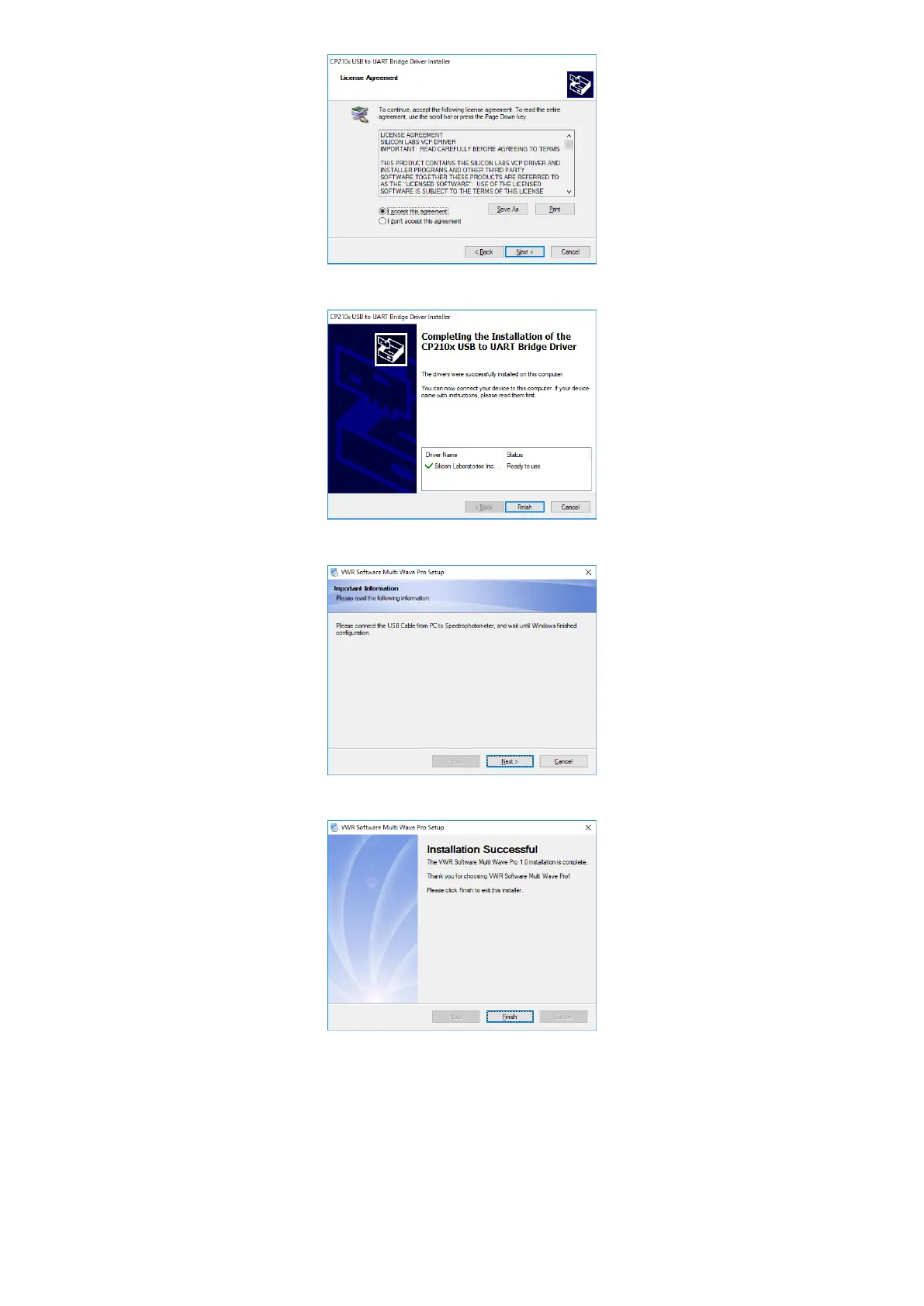
8. Click Finish to finish install USB Drive;
9. Plug the USB cable, click Next;
10. Click Finish to finish all the setup.
Uninstall VWR Software Multi Wave Pro
1. Start→All Files→VWR Software→Uninstall VWR Software Multi Wave Pro 1.0, click Next to uninstall.
2. After all the files were removed, click Finish to end.


 To Next Page