Spectrum Scan
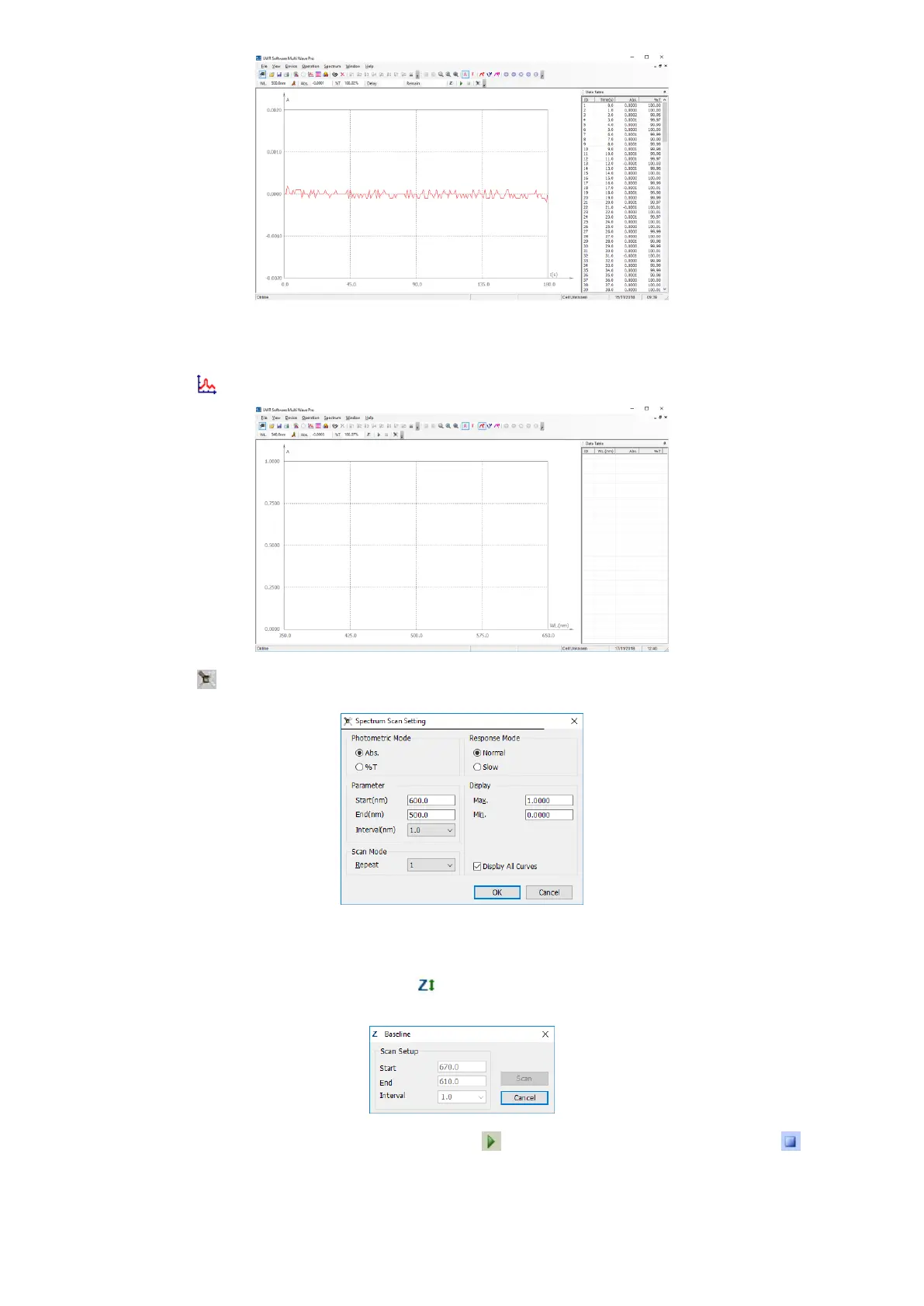
We’ll introduce how to create the spectrum while using Spectrum Scan function.
1. Click the icon on the Tools Bar to start a new Spectrum scan;
2. Click the icon in the Tool Bar to set the parameters of Wavelength Scan;
3. Choose the Photometric Mode, Wavelength Range for Scanning, Intervals, Repeat Times, Response Mode,
and Coordinate Range;
4. Click OK to finish and exit setting;
5. Put reference into the light path, click the icon in the Tool Bar, then the dialog box of Baseline displays in
the screen, click Scan to scan baseline, click Cancel to interrupt scanning and exit the course;
6. Put the unknown sample in the light path, click the icon in the Tools Bar to start scanning, click to
interrupt and cancel scanning.


 To Next Page