6
Maintenance and care
Cleaning
VWR MICRO STAR 17 / 17R 6-3
3. Pull out the power supply plug.
4. Release the rotor.
5. Grasp the rotor with both hands and lift it vertically off the centrifuge spindle.
6. Remove the centrifuge tubes and adapters.
7. Remove the seals.
8. Use a neutral cleaning agent with a pH value between 6 and 8 for cleaning.
9. Dry all of the rotors and accessories after cleaning with a cloth or in a warm air cabinet at a
maximum temperature of 50 °C.
10. Observe “Replace seals” on page 5-6 when replacing the seals.
After some applications their might be ice in the rotor chamber. Let the ice melt and drain it off. Clean
the rotor chamber as described above.
Cleaning filter unit
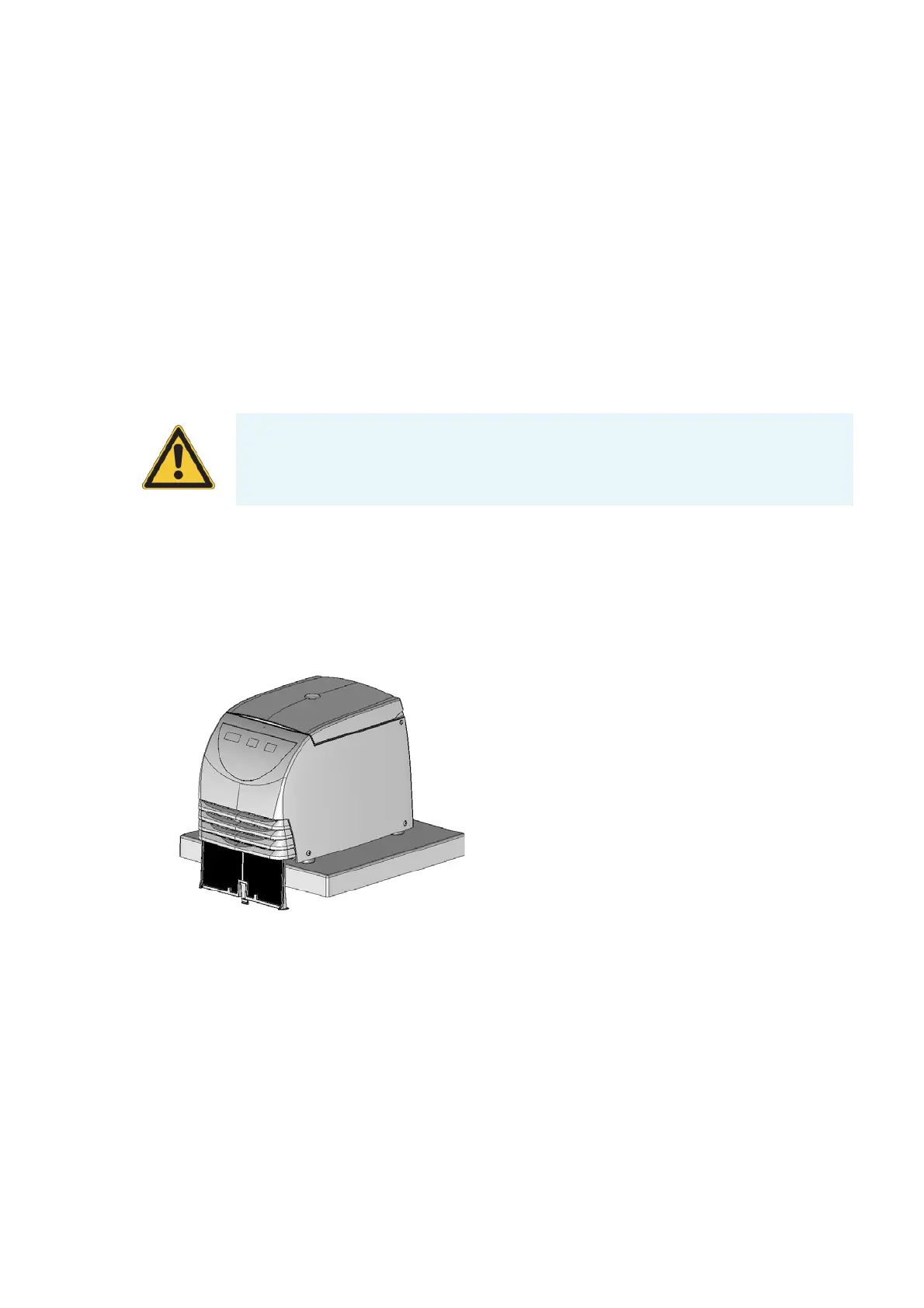
1. The VWR MICRO STAR 17R have a filter unit to protect the cooling device.
Pull the centrifuge to the edge of the table.
2. Pull the clip below the sucking grid and remove the filter unit completely by pulling it down.
3. Remove the cumulated dust with a soft cloth.
4. Inserting the filter again. The labeling Front must show to the front of the centrifuge.
5. Push the filter upwards into the slot until the clip locks in the bottom plate.
CAUTION When cleaning, do not allow liquids, especially organic solvents, to get on the
drive shaft or the bearings of the centrifuge.
Organic solvents break down the grease in the motor bearing. The drive shaft could freeze
up.







 To Next Page