4
Introduction and description
Centrifugation
VWR MICRO STAR 17 / 17R 4-7
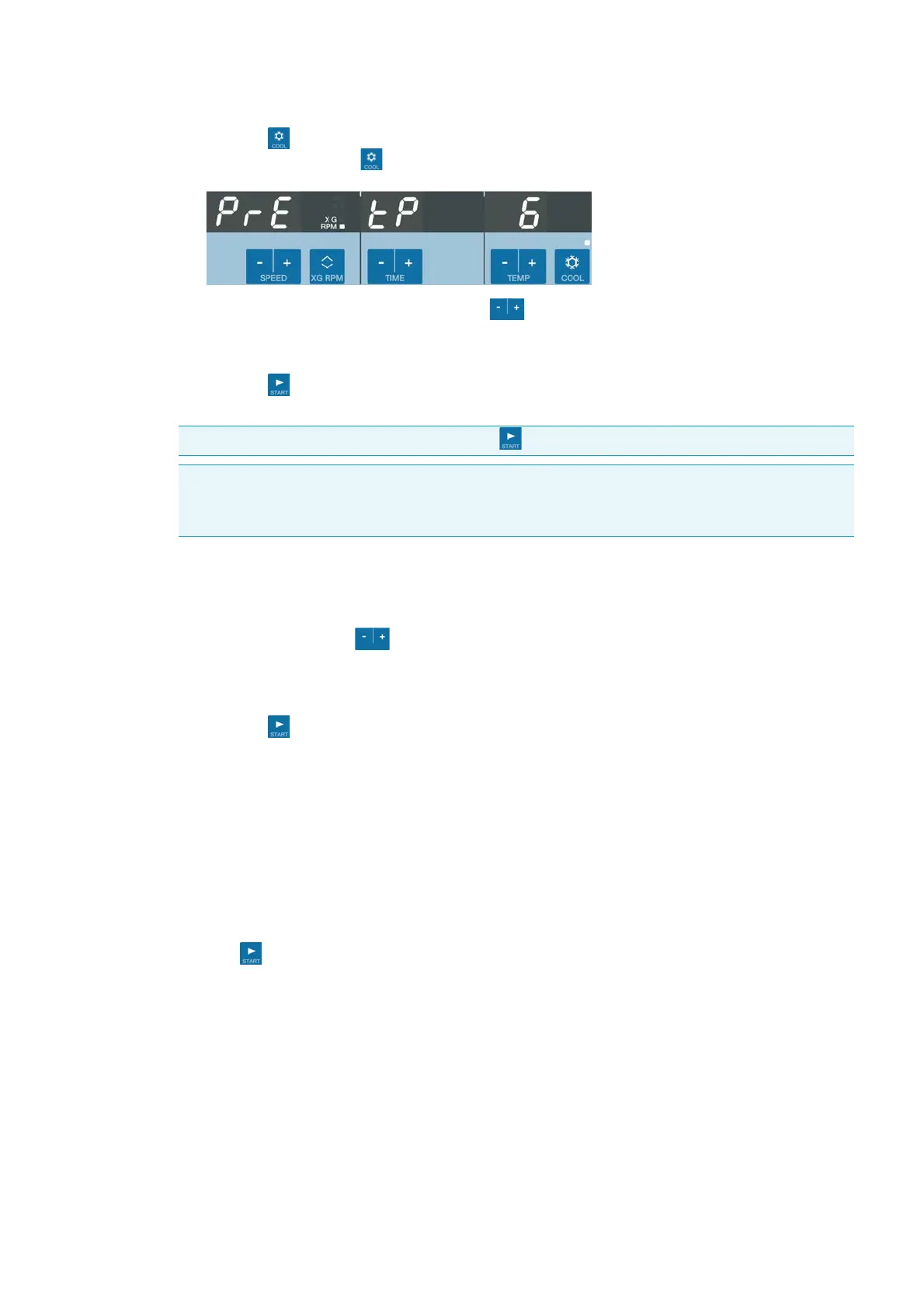
1. Press the key.
An indicator above the key indicates operation at the activated pretemp function.
2. Enter the desired value by pressing the key under the right display repeatedly, until the
desired value shows.
You increase or decrease the temperature in steps of 1 °C.
3. Press the key.
The rotor will be operated at optimal speed.
Changing the settings during the run
You can change the settings during the run as follows:
1. Press one of the three
keys in the control panel.
The current value will switch into the preselecting value mode.
2. Enter the new value as described above.
3. Press the key.
The value is taken over immediately.
Centrifugation
Once the rotor has been properly installed, the main switch has been turned on and the lid has been
closed, you can start centrifuging.
Starting centrifuge program
Press the key on the control panel. The centrifuge accelerates to the preset speed with the time
display active.
The run display begins to count down from the preselected value. If the remaining run time is less then
1 minute, the remaining time is given in seconds.
The circulating indicators in the left display represent the spinning rotor.
In continuous operation the time display counts up. The displayed run time is first in seconds. After
one minute the displays changes every minute.
Note When you press a different key than the key you will quit the pretemp function.
Note If you wish to change the temperature of your samples, please consider that the time required
for temperature adjustment is prolonged. For critical applications you should take other
precautions to ensure that the desired temperature is actually reached and maintained.







 To Next Page