6.3 Mode Selected
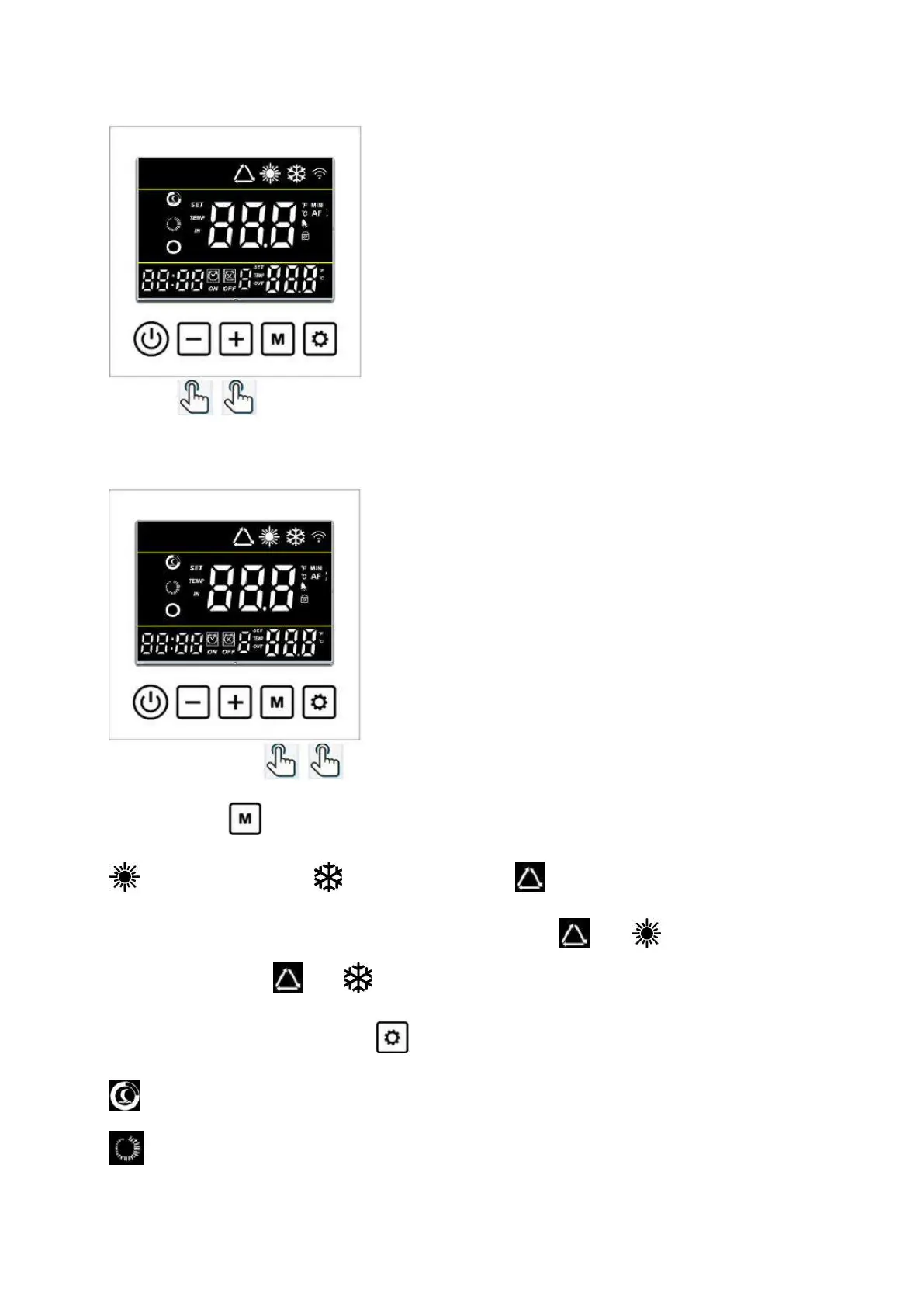
Hold the button for 3 seconds to change the below three operating functions each time:
Heating function Cooling function Auto function
Under Auto function, if the real situation is in Heating, it will show and , if the real situation is
in Cooling, it will show and .
Under Heating function, press button to change the below two running modes each time:
ECO mode: Choose this mode that the heat pump operates silently.
BOOST mode: Choose this mode that the heat pump operates powerfully.


 To Next Page