11 Appendix IV
115
WABCO Maintenance Manual MM-0112 (Revised 07-18)
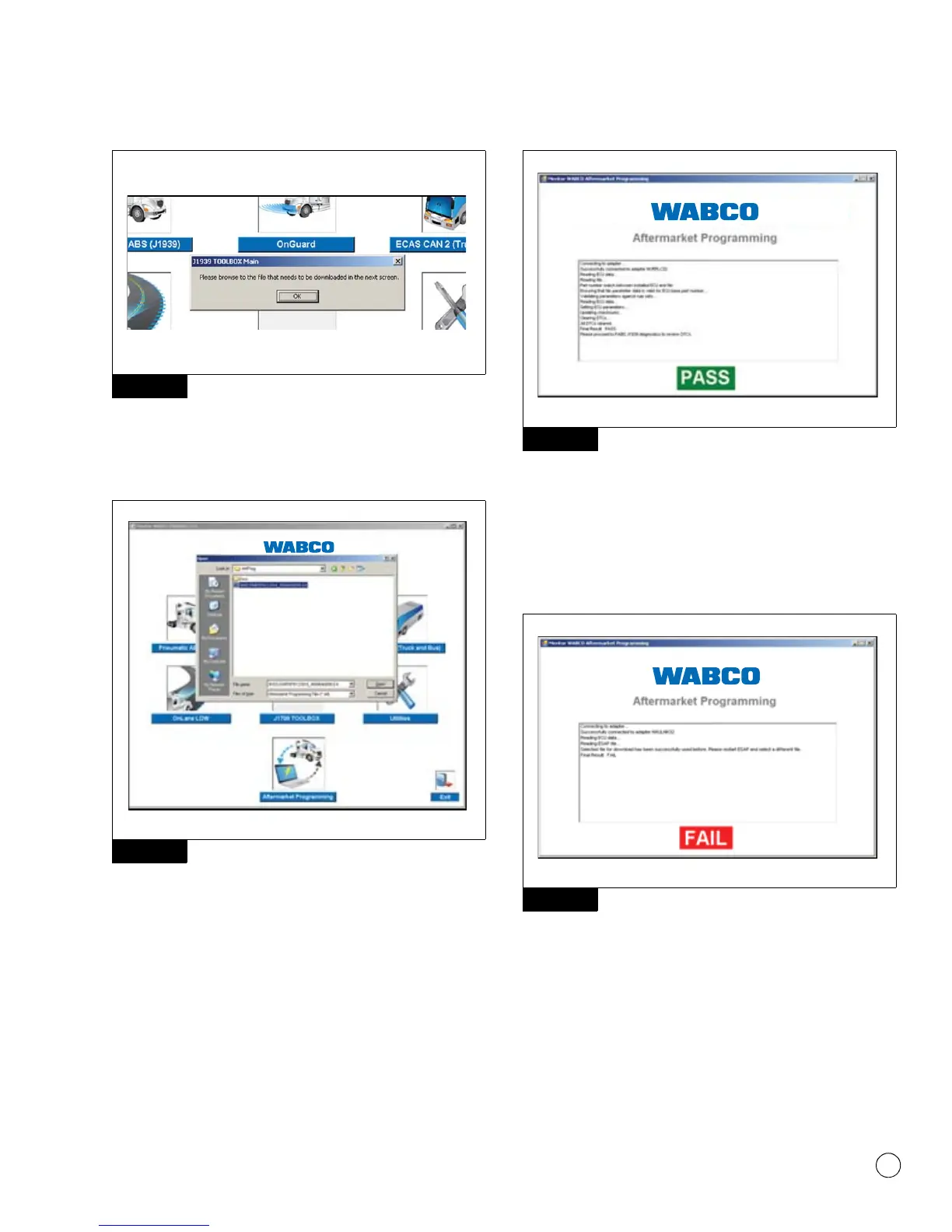
Figure 11.16
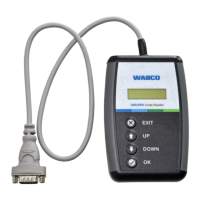
Use the file selection box to locate the configuration file that
matches the VIN and part number of the vehicle being serviced.
Select the file by clicking on it, and then click Open. Figure 11.17.
Figure 11.17
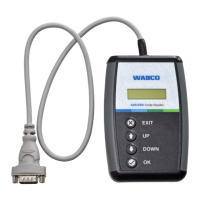
The Aftermarket Programming application will automatically run
from this point. The progress of the programming operation will be
displayed in the dialogue box. Once ECU programming is
successfully completed, a green PASS indicator will appear at the
bottom of the Aftermarket Programming application window.
Figure 11.18.
Figure 11.18
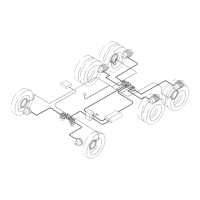
If the programming operation fails for any reason, a red FAIL
indicator will appear at the bottom of the Aftermarket Programming
application window. Within the text box, an error code will be
displayed with instructions. If the programming operation cannot be
completed, record the error code and contact WABCO North
America at 855-228-3203. Figure 11.19.
Figure 11.19
NOTE: ESC ECUs will require the ESC End of Line procedure to be
completed following ECU replacement. Refer to Appendix III.
Figure 11.16
Figure 11.17
Figure 11.18
Figure 11.19
4012646a
4012647a


 To Next Page