3 Diagnostics, Troubleshooting and Testing
18
WABCO Maintenance Manual MM-0112 (Revised 07-18)
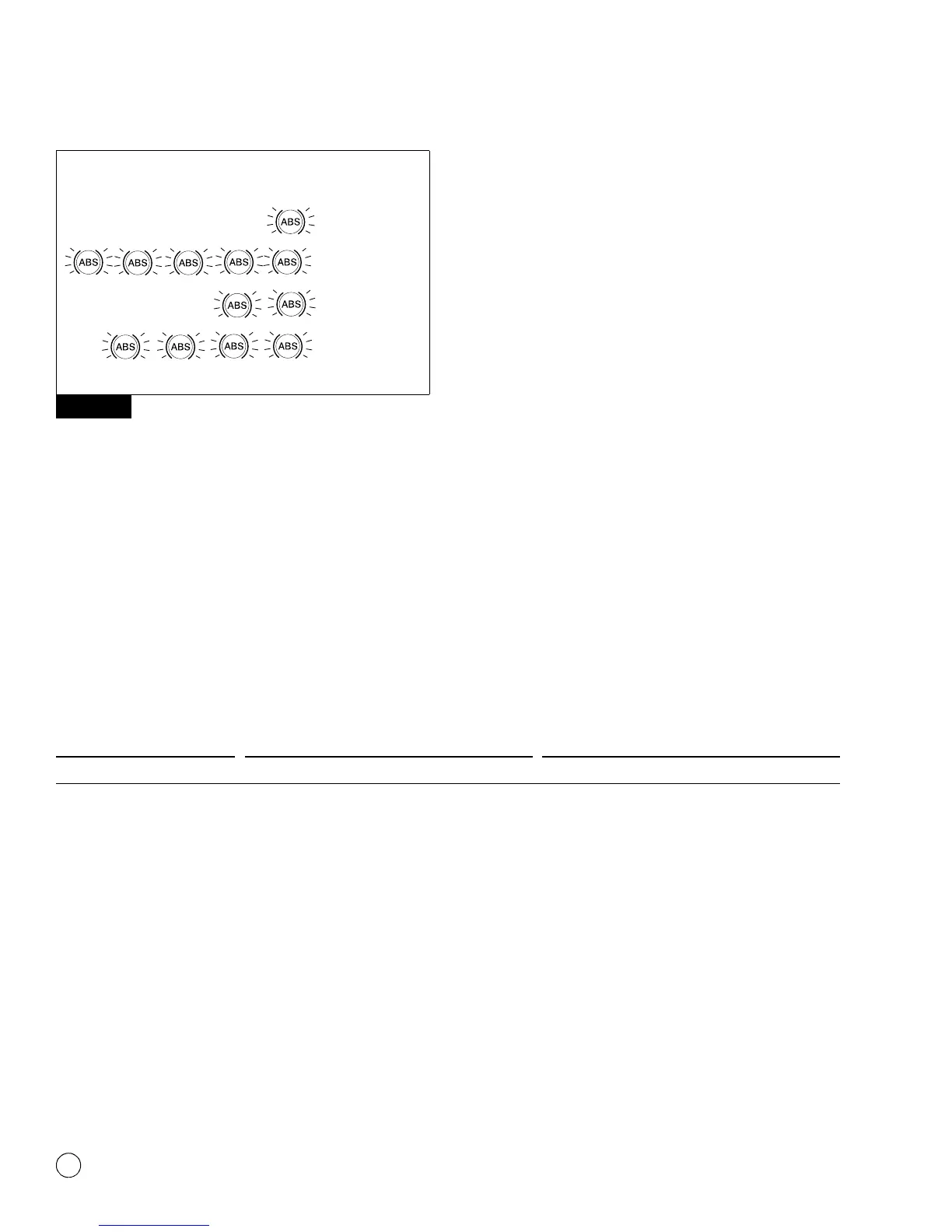
Figure 3.11
Clear Mode
To erase faults from the ECU, you must be in the clear mode. To
enter the clear mode, press and hold the blink code switch for at
least three seconds, then release.
If the system displays eight quick flashes followed by a system
configuration code, the clear was successful. Stored ABS faults
have been cleared from memory.
If you do not receive eight flashes, there are still active faults that
must be repaired before they can be cleared.
NOTE: The clear mode is also used to disable the ATC function.
Table A: Troubleshooting with Blink Code Diagnostics
Figure 3.11
4S/4M
6S/6M - 6x2
6S/4M
1002020c
6S/6M - 6x4
NUMBER OF
FLASHES
ABS
CONFIGURATION
Procedure System Response Action
Diagnostics Mode
Step I.
Turn ignition ON.
Possible responses:
ABS indicator lamp comes on momentarily then
goes out, indicating System OK.
No recognizable active faults in the ABS. No action
required.
ABS indicator lamp does not light, indicating
possible wiring fault or burned-out bulb.
Inspect wiring. Inspect bulb. Make necessary repairs.
ABS indicator lamp stays on, indicating:
앫 Fault, or faults, in the system.
앫 Sensor fault during last operation.
앫 Faults cleared from ECU, but vehicle not
driven.
앫 ECU disconnected.
앫 Power or ground wiring issue.
Continue with blink code diagnostics. (Go to Step II.)
Continue with blink code diagnostics. (Go to Step II.)
Drive vehicle — lamp will go out when vehicle
reaches 4 mph (6 km/h).
Connect ECU.
Check harness powers and grounds at the ECU.


 To Next Page