EasyManua.ls Logo

Walchem WebMaster - Usb Driver Installation for Windows Vista (32 Bit)

Walchem WebMaster
73 pages
Print Icon
To Next Page IconTo Next Page
To Previous Page IconTo Previous Page
Loading...
Quick Start Guide SECTION 4: WINDOWS VISTA (32-bit)
P/N 180273 Rev. N April 2017
39
1. USB DRIVER INSTALLATION FOR WINDOWS VISTA (32 BIT)
Step 1
► Plug the USB cable into the WebMaster/WebAlert and your computer.
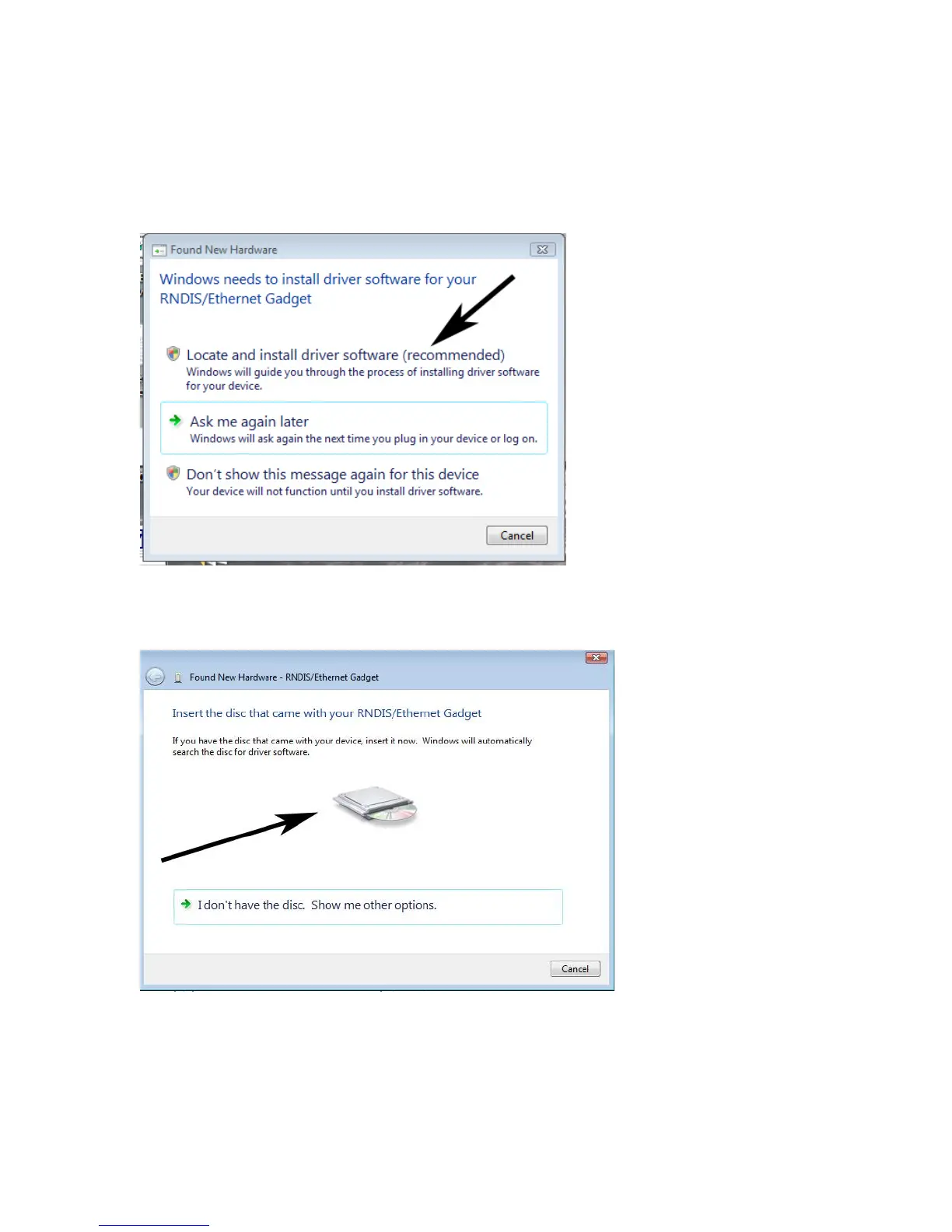
► You will see this message on your screen.
► Click ‘Locate and install driver software (recommended)’
Step 2
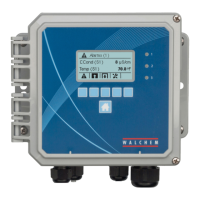
► You’ll then see this screen.
► Click on the disc icon and insert the USB CD in your computer’s CD drive.

Other manuals for Walchem WebMaster

Related product manuals