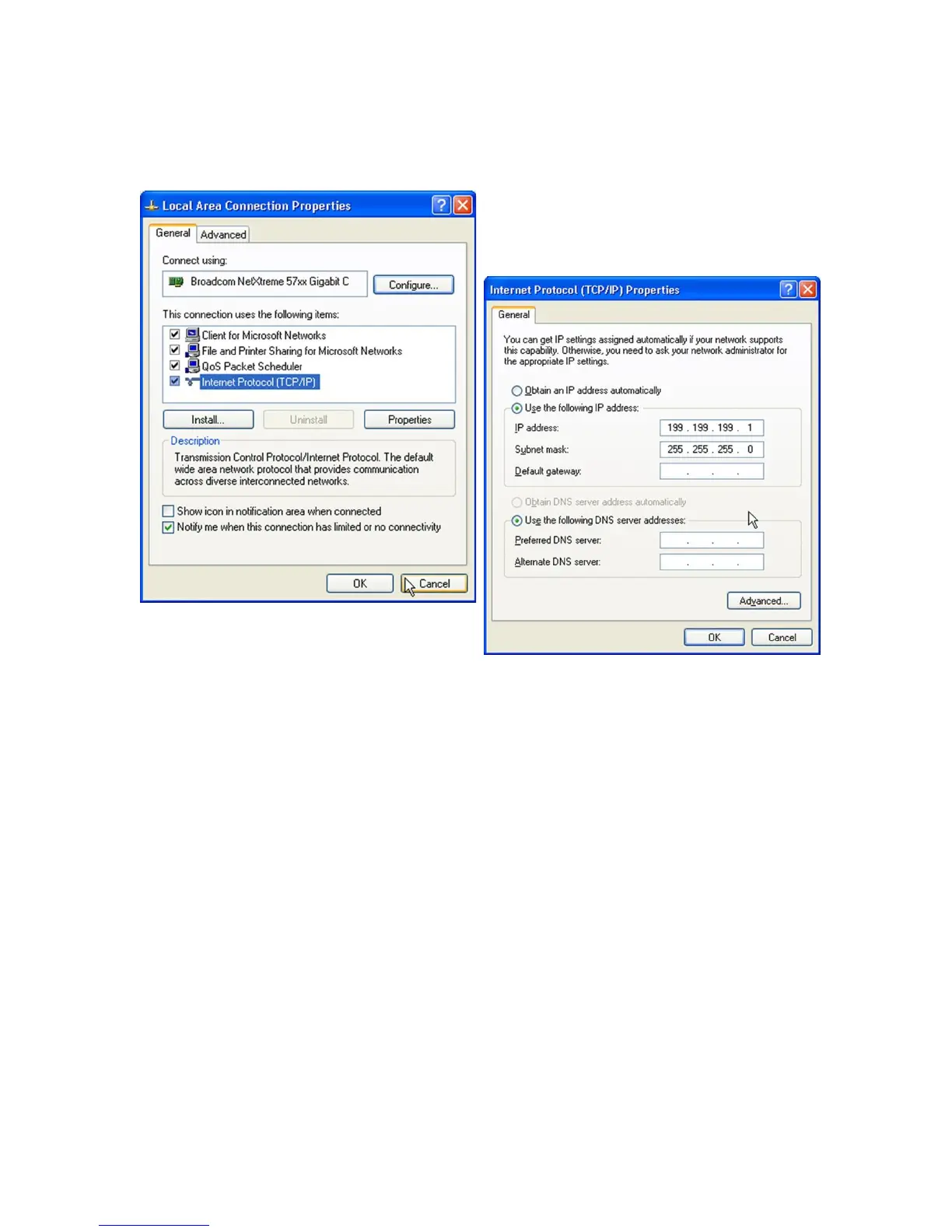
Step 10
► Click ‘Use the following IP address’
► In the IP address box, type:
199.199.199.1
► In the Subnet mask box, type:
255.255.255.0
► Click ‘OK’
Step 11
► Open Internet Explorer and type"
199.199.199.2 in the address bar
► This will give you direct access to the
login page of the controller.
► From this point on, you will only need
to connect the USB cable to the
controller and type in that address to
access the local connection to your
controller.


 To Next Page