EasyManua.ls Logo

Walchem WebMaster - Page 70

Walchem WebMaster
73 pages
Print Icon
To Next Page IconTo Next Page
To Previous Page IconTo Previous Page
Loading...
Quick Start Guide SECTION 7: MAC OSX
P/N 180273 Rev. N April 2017
70
Step 3
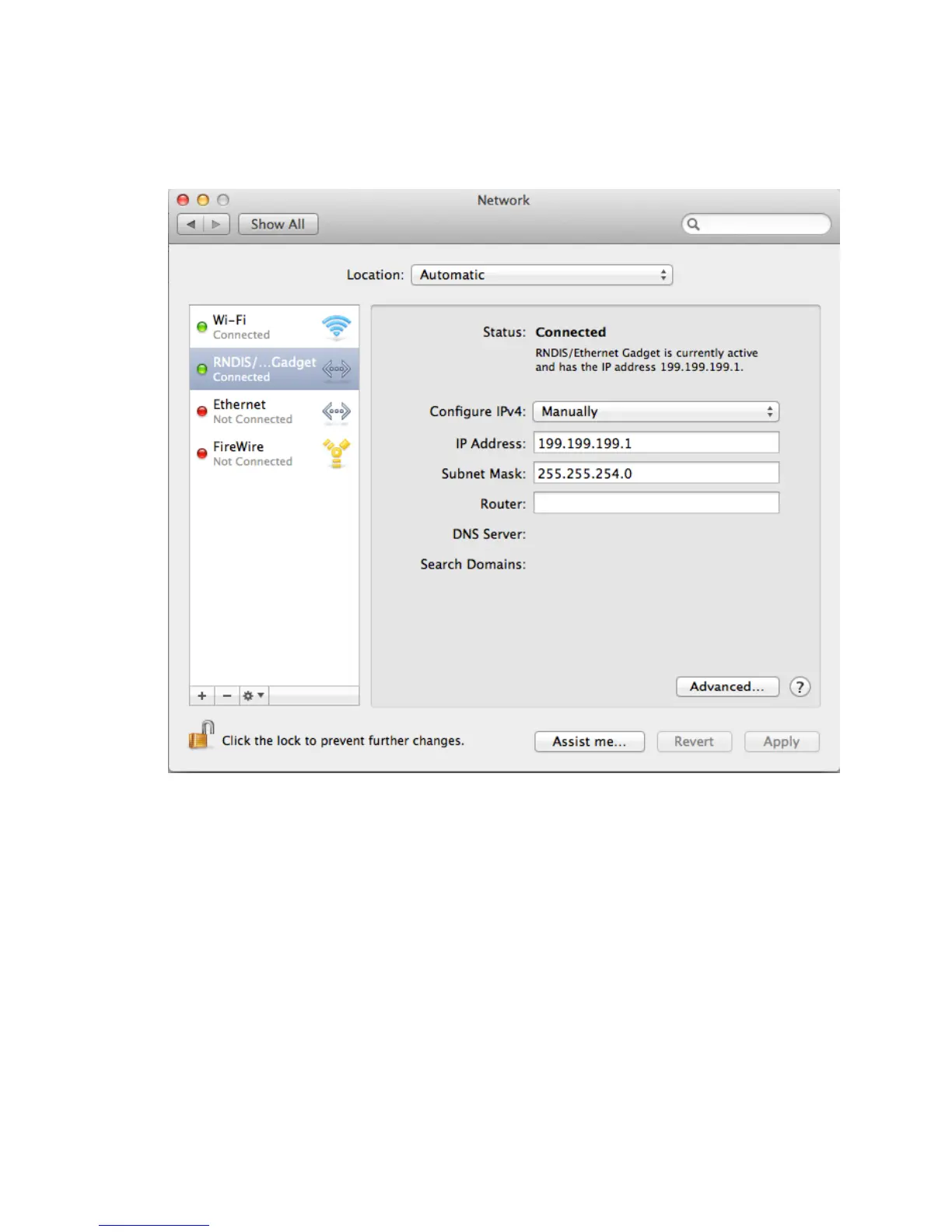
Select Manually for Configure IPv4. IP address should be 199.199.199.1. Subnet
Mask should be 255.255.254.0. Click Apply.
Step 4
Open Web browser (Internet Explorer, Firefox, Safari, Chrome, etc.) and type in
199.199.199.2 in the address bar to open the login screen.

Other manuals for Walchem WebMaster

Related product manuals