C
Ø4*25mm
30
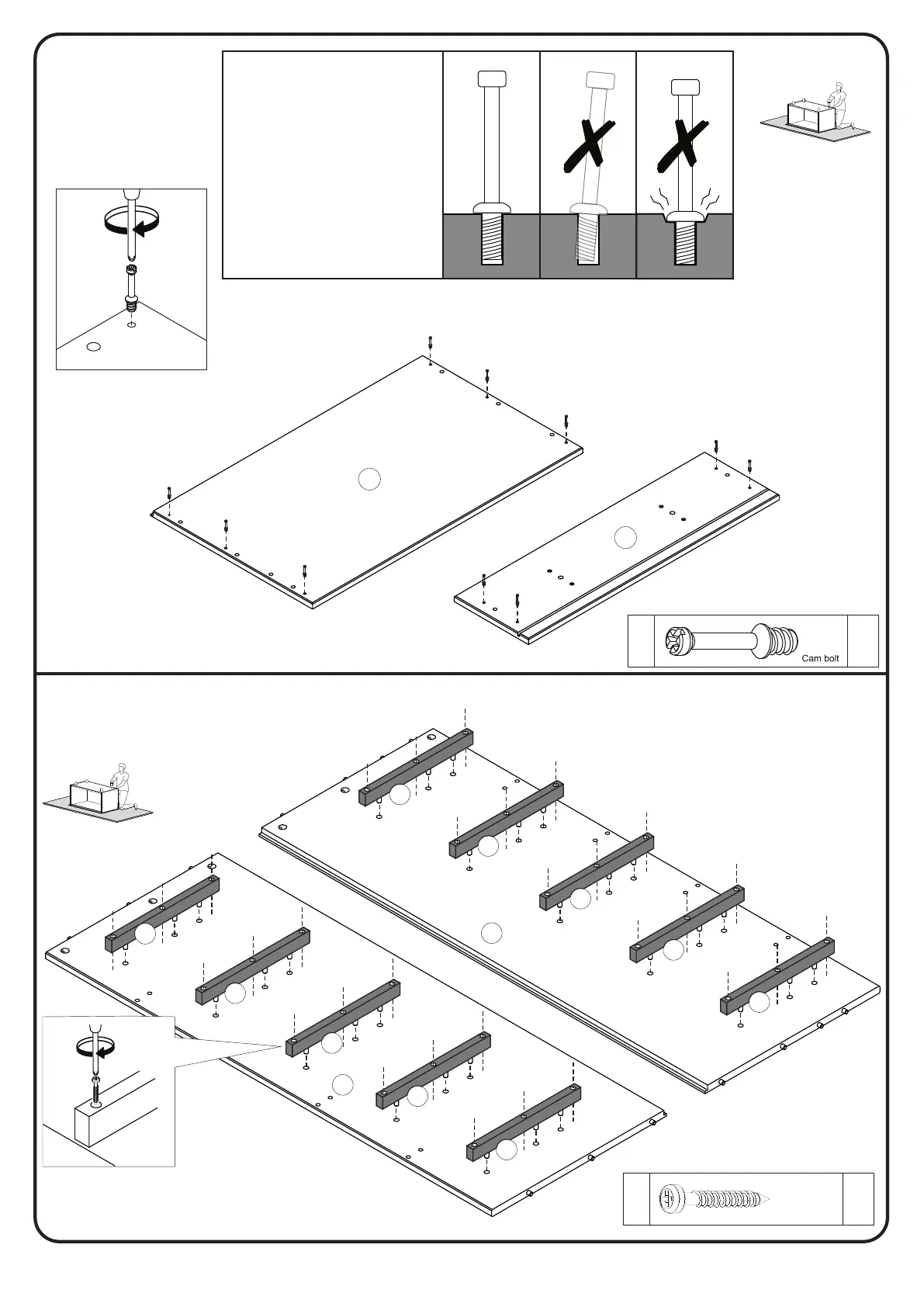
Step 4
P.6
Fix the Cam bolt (J) in part 1 and 10
Step 5
J
J
J
J
10
5x
26
J
Secure part 6 to part 2 and 3 with screw (C)
and Phillips head screwdriver.
using a Philips head screwdriver.
1 - Ensure cam bolt is
installed straight and not
at an angle.
2 - Tighten cam bolt until
shoulder on cam bolt is
flush. Do not over-tigh-
ten.
1
2
J
J
1
J
J
J
J
J
C
C
C
C
C
C
C
C
C
C
C
C
C
C
C
C
C
C
C
C
C
C
C
C
C
C
C
C
C
6
6
6
6
6
6
6
6
6
2
3
6
C
C




 To Next Page