17
■ Please follow this instruction manual for maintaining your device.
■ Pleasetriggertheashheadthroughthetestbuttonbeforestartingany
operation or maintenance arrangement.
3. Unpack and check the device
1. Please unpack the device carefully.
2. Please check, if the delivery is complete:
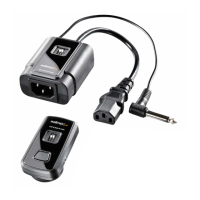
• Operator Studio Flash Remote Trigger Set
• Receiver
• Transmitter
• Sync Cord
• AdapterPhoneJack3,5mm
3. Please check, if the delivery is undamaged.
ADVICE
If the delivery should be incomplete or damaged, please contact
info@foto-walser.de or our service hotline with the telephone number
+49 (0)821 455789-00.
Within the scope of product improvements we reserve the right for technical
and optical changes.


 To Next Page