.
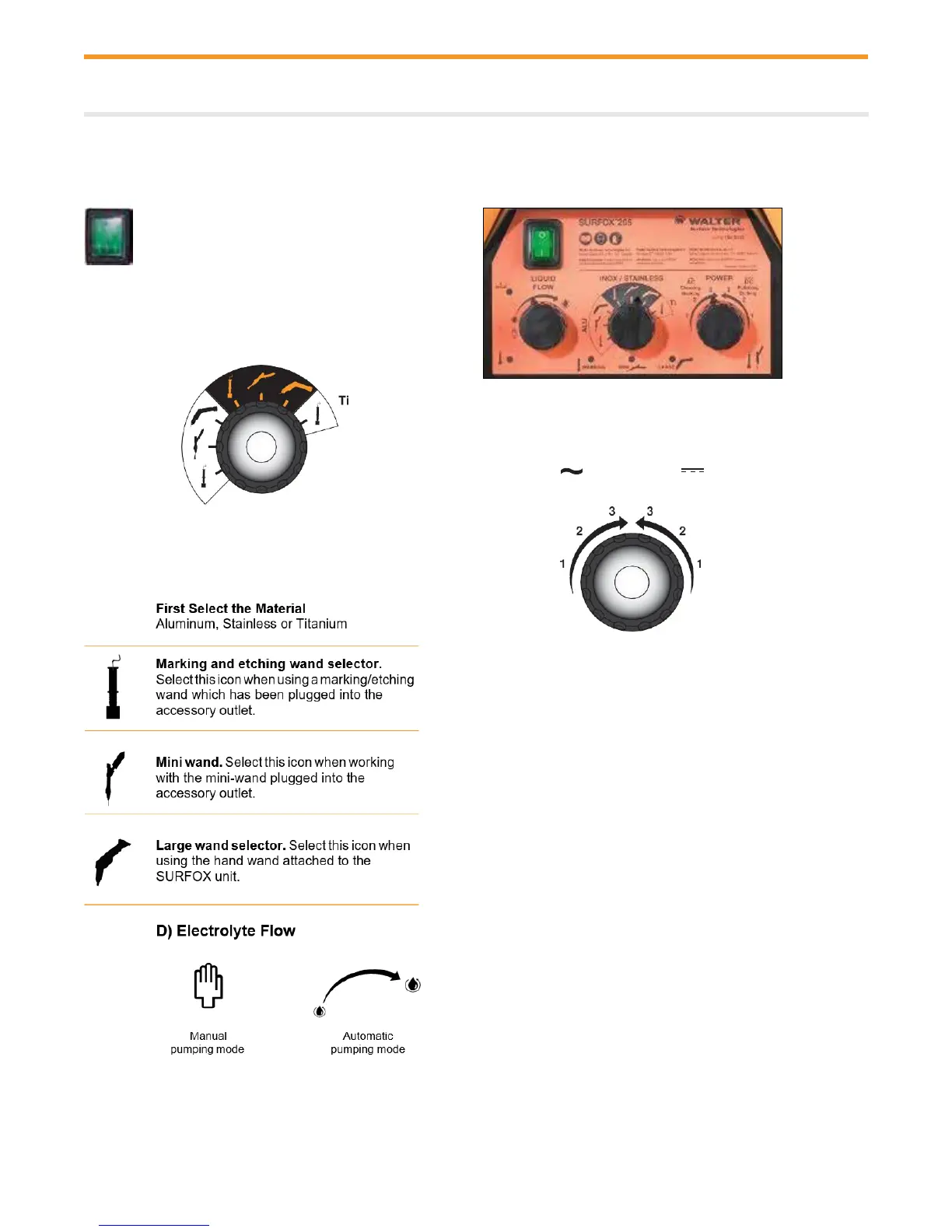
On Stainless Steel, Select AC for Cleaning and
DC for Polishing. Level 1 has the lowest amperage
setting. Level 3 has the highest amperage setting.
Level 1 is for TIG welds, Level 2 is for MIG welds,
Level 3 should be used with a lot of electrolyte
solution with the air system only.
For marking or etching, select AC for marking and
DC for etching. Level 1 has the lowest amperage
setting. Level 3 has the highest amperage setting.
On Aluminum, select AC for cleaning. DC mode
will not polish aluminum. For black marking, select
AC. Level 1 has the lowest amperage setting. Level
3 has the highest amperage setting. For white
etching, select DC.
On Titanium for marking, select AC for blue
marking. Level 1 has the lowest amperage setting.
Level 3 has the highest amperage setting.


 To Next Page