START Indicator
READY
Indicator
When the
START/STOP switch is in the START
position, the
START indicator illuminates,
and
extinguishes when the switch is in the
STOP position.
The READY indicator
illuminates continuously
whenever
the unit is
up to speed,
heads are
loaded,
and the FAULT indicator light
is OFF
(indicating
there are no faults within the
unit
that require
manual intervention)
.
The
READY light
blinks throughout the spindle
start and stop
procedure.
FAULT
Indicator
This indicator
illuminates
hardware error (fault)
exists.
when
a
disk
WRITE
PROTECT
CART Switch
This switch,
when depressed, disables writing
to
the removable
disk platter, protecting the
platter
from accidental over-writing.
WRITE PROTECT
FIXED
Switch
This switch,
when depressed, disables writing
to
the fixed disk platters.
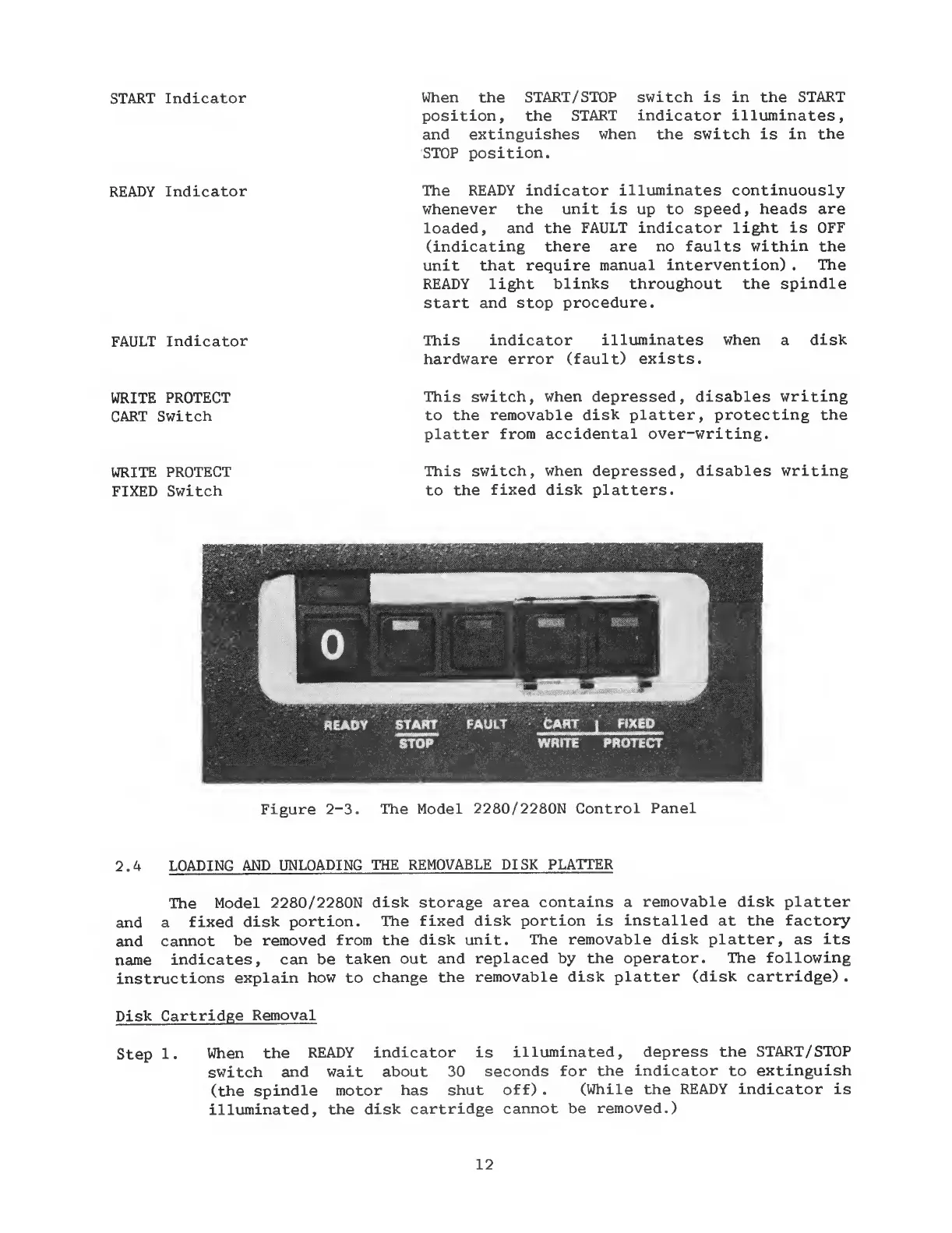
Figure
2-3.
The Model
2280/2280N Control Panel
2.4
LOADING AND
UNLOADING
THE
REMOVABLE DISK
PLATTER
The
Model
2280/2280N
disk storage
area contains a
removable disk platter
and a
fixed
disk
portion.
The fixed
disk portion is
installed
at
the factory
and
cannot
be
removed
from the
disk unit.
The removable disk
platter,
as
its
name
indicates,
can be
taken out
and replaced by
the operator.
The following
instructions
explain
how
to
change
the
removable disk
platter (disk cartridge)
.
Disk
Cartridge
Removal
Step
1.
When the
READY
indicator is
illuminated,
depress the START/STOP
switch
and wait about
30 seconds
for
the indicator to
extinguish
(the spindle
motor
has shut
off)
.
(While the
READY
indicator
is
illuminated,
the disk
cartridge
cannot be
removed.)
12


 To Next Page