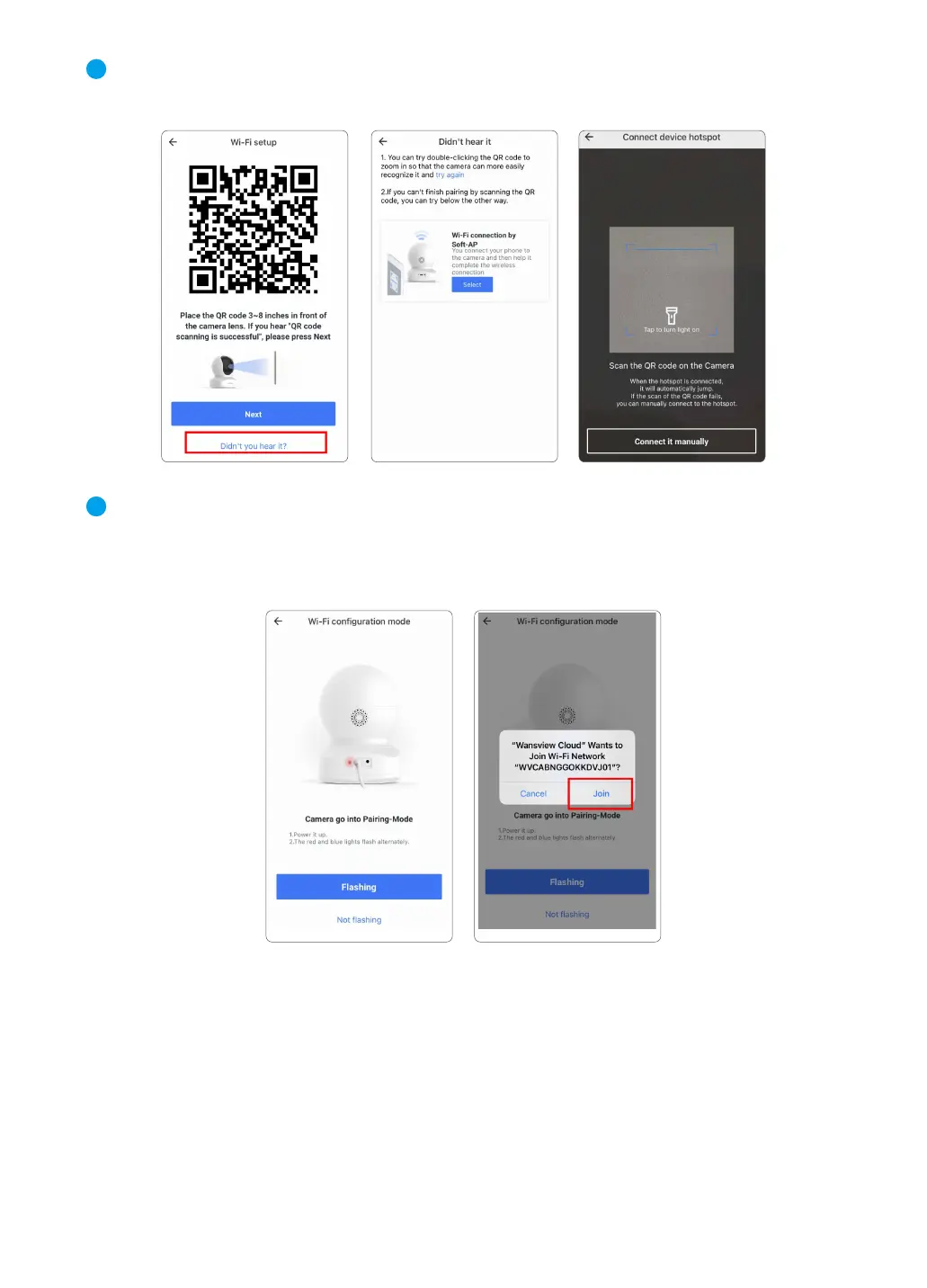
④ Click “Didn’t you hear it?” and select 【Wi-Fi connection by Soft-AP】. Use your phone
camera to scan the QR code on the camera sticker.
⑤ Check if the camera's indicator light is flashing red and blue. If yes, tap【Flashing】.
Please go to Settings--Find a Wi-Fi named WVC***** if fail to join and connect with this Wi-Fi.
Then go back to Wansview Cloud app.
4
5
09



 To Next Page