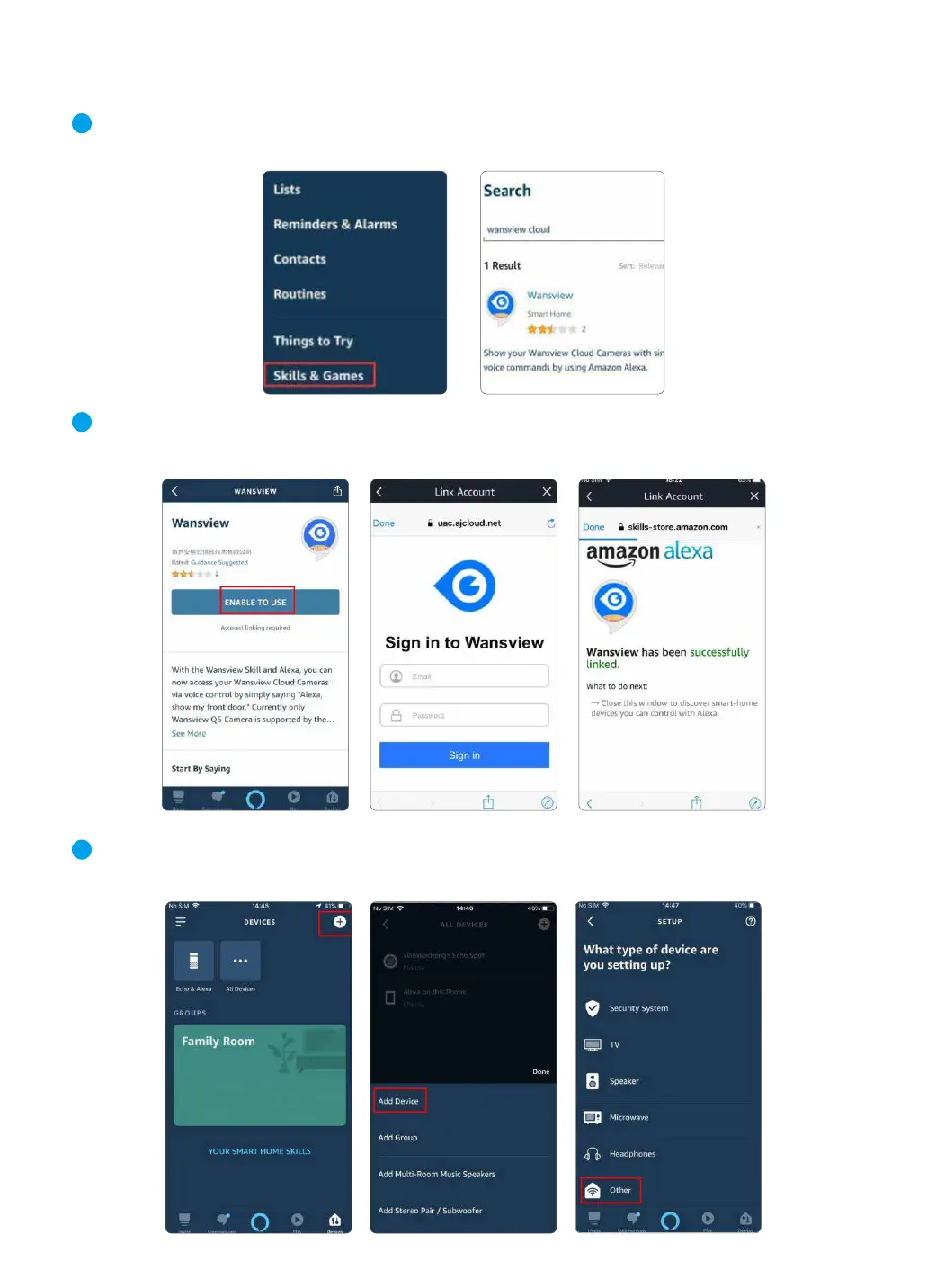
Open the Alexa App menu and look for the “ Skills&Games ” button. Click Search
icon and search “Wansview Cloud”.
Enable the Wansview Cloud feature and log in your Wansview Cloud account. Allow the Alexa
Device interaction then your account will be linked with Alexa.
Chapter 8 Alexa Compatibility
1
2
24
Please go to 【Device】 page of Alexa APP --- click ---choose 【Add Device】 --- choose
【Others】 ---then Alexa will find all cameras that are connected on your Wansview Cloud account.
3



 To Next Page