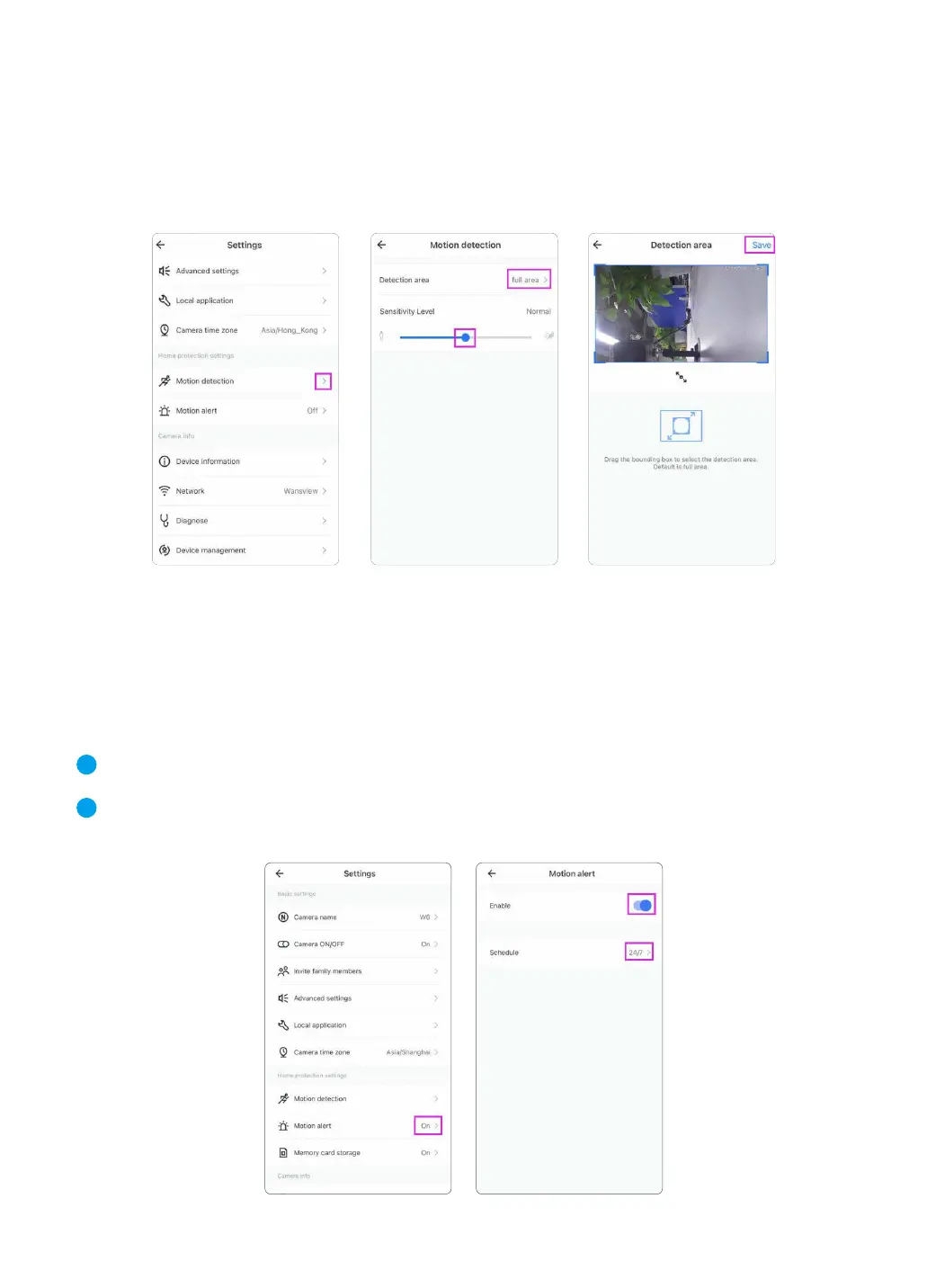
① Launch Wansview Cloud App and log in to the camera, then tap the setting icon to find 【
Motion Alert】 page.
② Enable the 【motion alert】 and then select the schedule to 24/7 or you can customize the
starting and ending detection time.
5.2 Motion Detection
Motion detection is defaulted to On. The generated alarm video will be stored to the Alert page.
Detection Area: Here allow you to define a specific area that you want your camera to detect
motion in.
Sensitivity Level: User can set the sensitivity of your Wansview camera according to your prefer-
ences. There,you’ll see a slider to adjust the level.
5.3 Motion Alert
Once motion is detected, user will receive a push notification in your Wansview Cloud app as
below. Tap the message to view 10s alarm video recorded by the camera. Wansview Cloud App
also provide the timeline to the user for select and review the specific alarm events.
You may follow the steps below to set motion alert for Wansview cameras via Wansview Cloud App.
1
2
13



 To Next Page