Page 71
6.6.8 Cancelling Manual Overrides
To cancel an active manual override and return to Time Slot automatic mode:
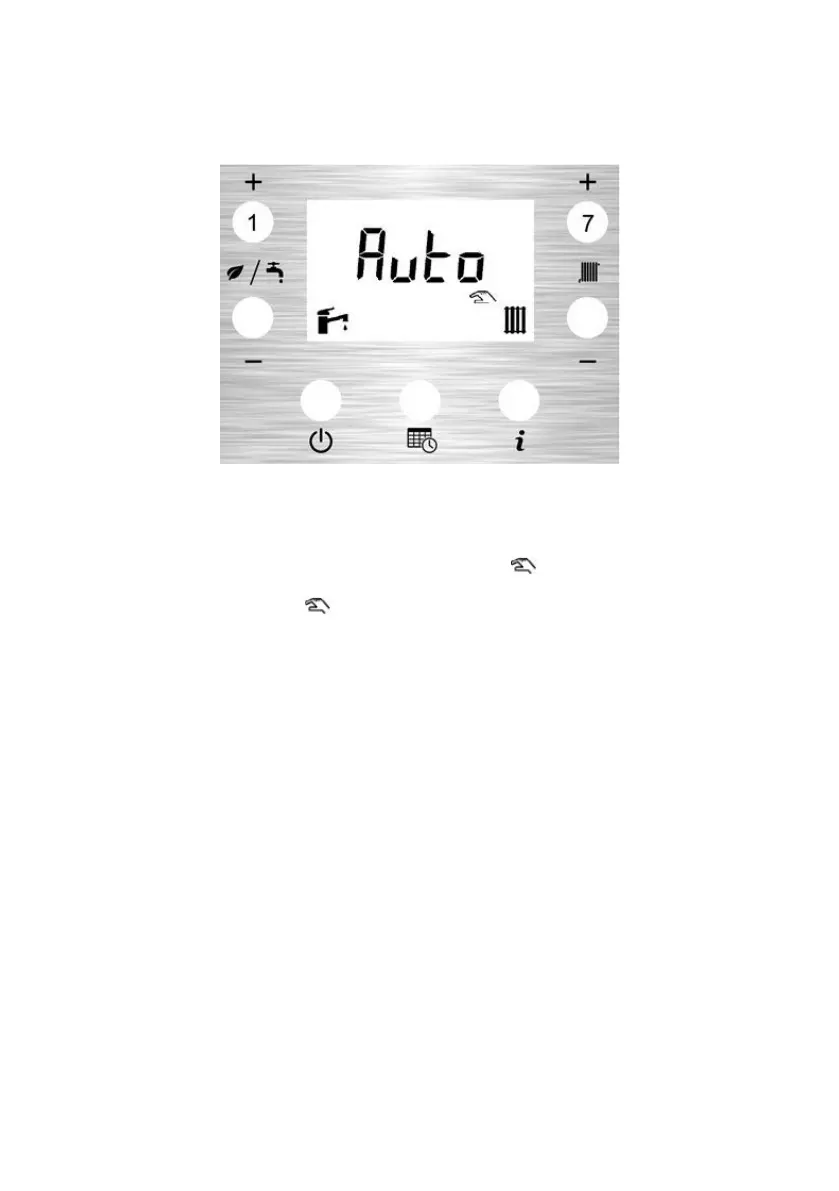
To activate Auto CH, press CH+ button (7) for 3 seconds, then rapidly press to select ‘Auto’
To activate Auto DHW, press DHW+ button (1) for 3 seconds, then rapidly press to select ‘Auto’
The Function starts when no buttons are pressed for 5 seconds.
When a manual override is active, the hand symbol icon is displayed on the LCD when
either CH manual overrides, DHW overrides or both are enabled. When manual overrides are
cancelled, the hand symbol icon will disappear from the LCD display.



 To Next Page