Kit for use with the 4iE
Step 3 - Mounting
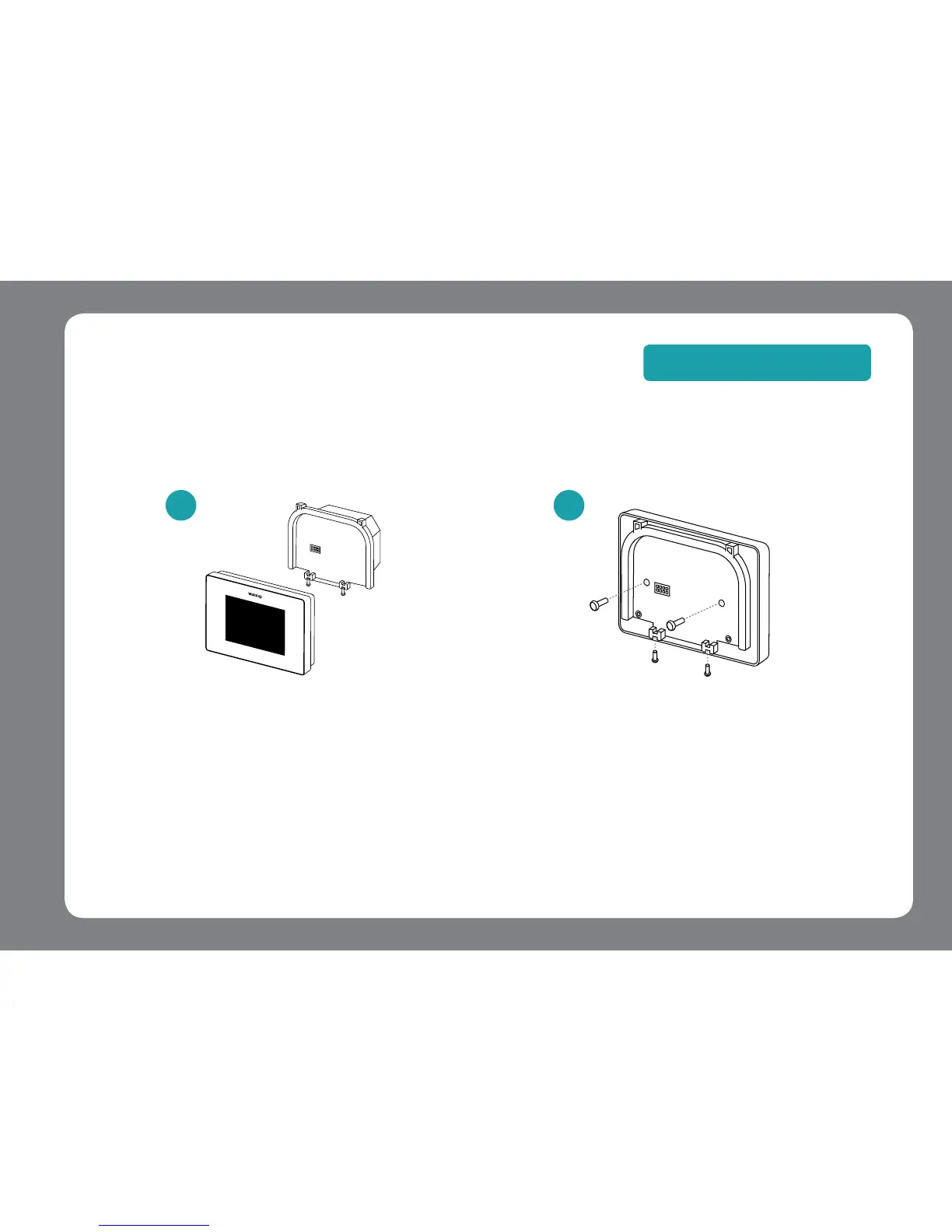
Remove the 4iE from its
packaging. Loosen both
closing screws located
at the bottom of the 4iE
Separate the front
housing from the back
plate.
Drill a hole in the wall
to feed the USB Cable
to your wall socket. Attach
the Power Base from your
+Kit to the wall using the
xing screws provided.
Connect the plug to the
wall socket.
For optimal performance the thermostat should be located in an area with good ventilation. It
should not be beside a drafty window/door, in direct sunlight or above another heat generating
device (e.g. radiator or TV).
13
For Wall Mount
+
1
2
NOTE: For detailed instructions, see online at www.warmupsmart.com/installation



 To Next Page