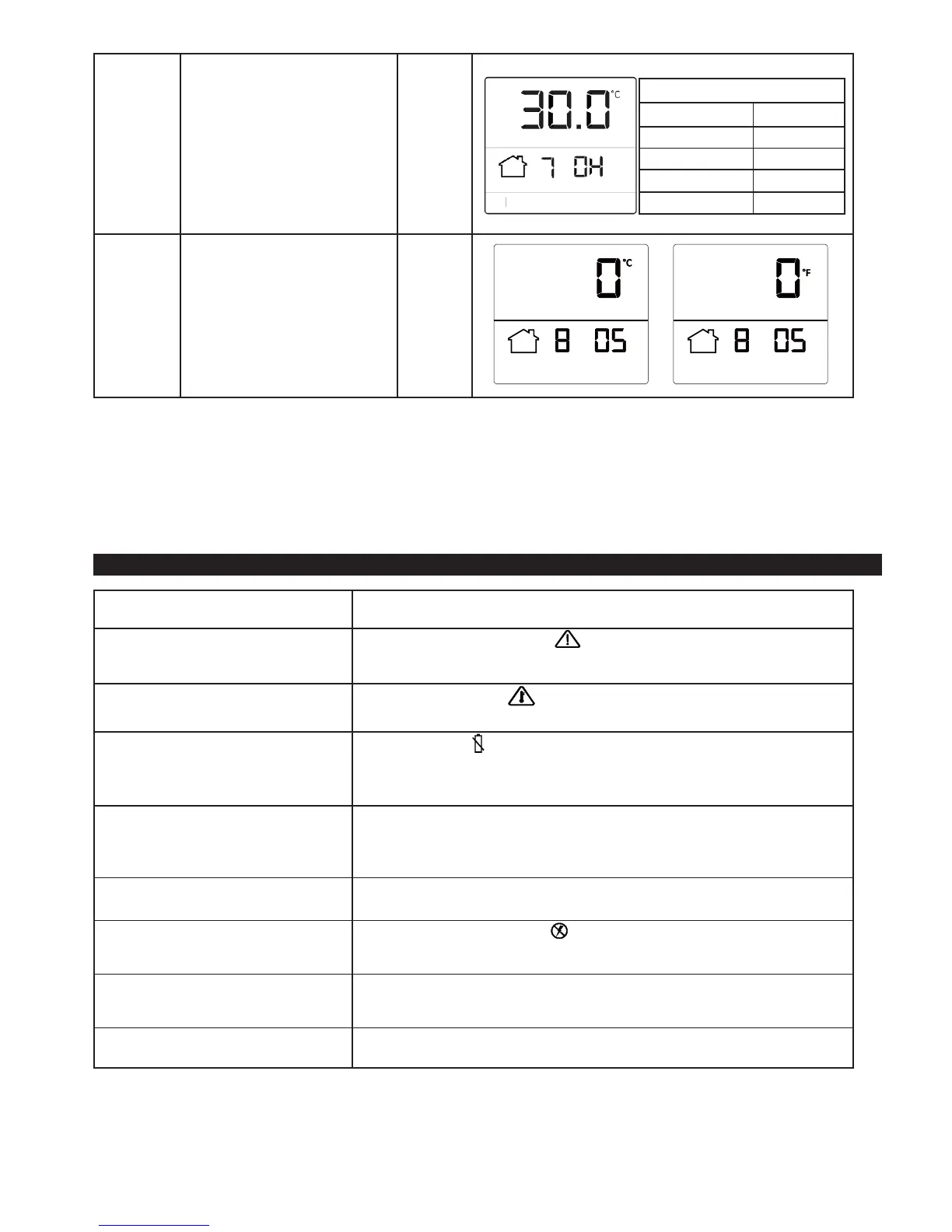
6. Set Overheat limit to protect your
oor.
Please note, the Tempo will only
allow you to set a temperature
2°C/4°F lower than the Overheat
limit
30°F
7. Set an offset value to calibrate
the temperature reading of your
thermostat sensors
0°F
The thermostat is not controlling the
temperature
Ensure that the Program Slide is in the run position (lowest point) and that the Mode
Slide control (bottom) is in the manual or program positions.
Floor sensor error
If you see the oor sensor error icon or “ - - “ on the screen it means that your
thermostat has been unable to detect the temperature of the oor. Please contact
Warmup.
Overheat
If you see the overheat icon this means that your oor has become too hot and
the heating has been suspended. Please contact Warmup.
Low battery The low battery icon will display when the battery needs to be replaced. The
thermostat must be connected to the mains electricity supply in order to work, it is not
designed to be used with an intermittent power supply. If the battery is not installed
then your thermostat will not be able to maintain the clock time if power is lost.
Heating starts too early If your heating is coming on too early, then this may be because the Adaptive Learning
function is turned on. This function allows your thermostat to learn how long it will take
to heat up to ensure it is the correct temperature at the start of the comfort periods.
See “installer settings” section of this guide.
Incorrect calibration Your thermostat should not need any calibration, however if you would like to apply an
offset to the temperature settings see the “installer settings” section.
No mains electricity If you see the no mains power icon this means that the thermostat is not receiving
power. Check that the thermostat logic module is properly installed on the power
module and that the mains electricity supply is connected.
Regulator mode (Reg) is displayed In this mode your thermostat will come on for a set number of minutes in a 10 minute
cycle. The thermostat will not use the temperature for control. Please contact Warmup
for additional details.
HI or LO is displayed The thermostat will display “HI” if the ambient temperature exceeds 122°F (50°C) and
“LO” when the ambient temperature falls below 32°F (0°C).
Maximum Overheat Limits
Tiles 40°C / 104°F
Stone 40°C / 104°F
Wood / Laminate 28°C / 86°F
Carpet 28°C / 86°F
Vinyl 28°C / 86°F
Error messages / Trouble shooting


 To Next Page