Installation manual
15
5.7 Install the Coin Meter (coin operated models)
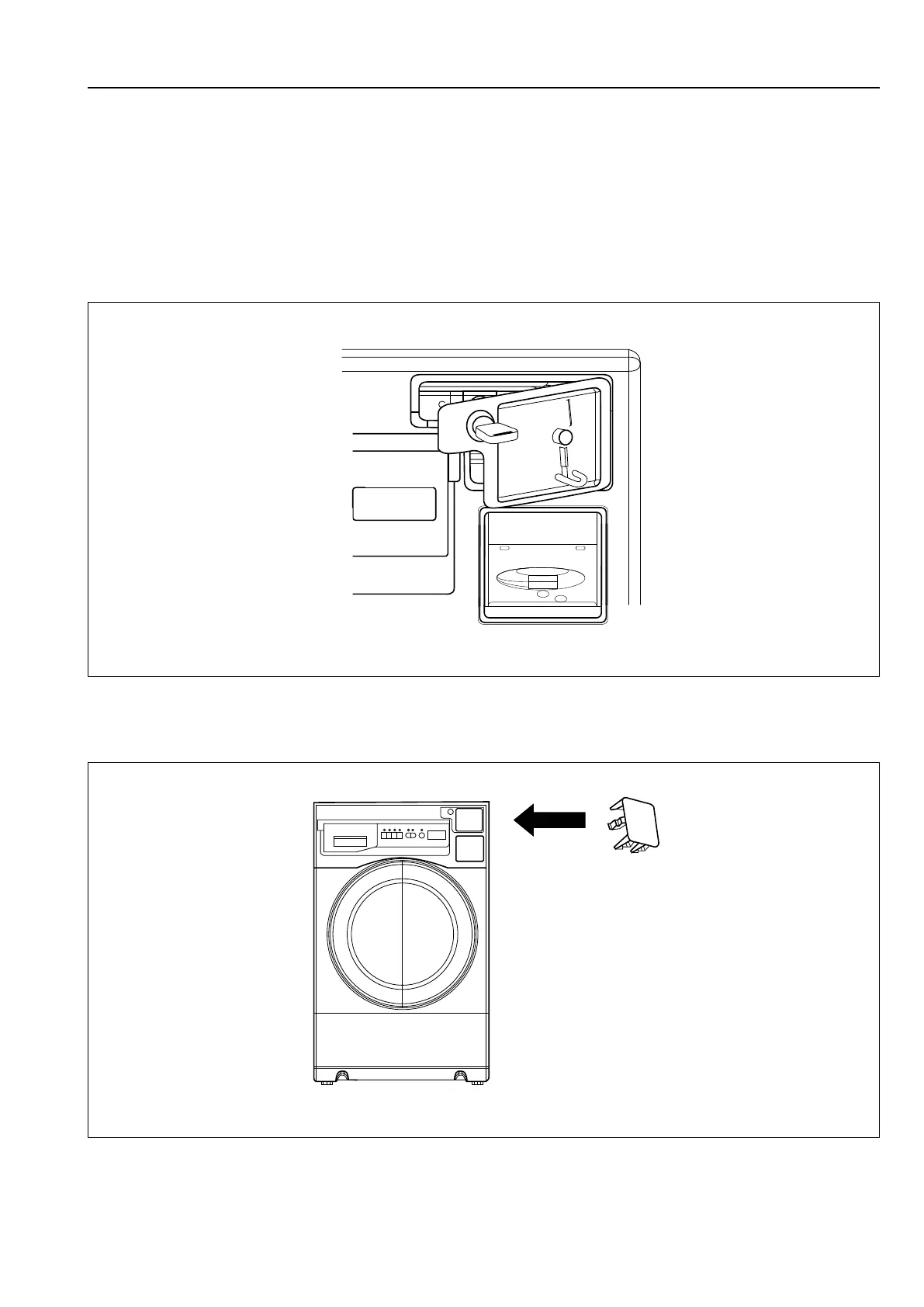
1. Unlock the coin meter lock plate with the provided key.
2. Partially open the lock plate and slide to the left to remove it from the console.
3. Install the coin meter faceplate into the lock plate and then assemble the coin.
4. Plug the coin meter(s) into COIN (White) harnesses inside the washer. (Detailed wiring methods are described in
the service manual).
5. Carefully fix the coin meter harnesses using the cable ties mounted on the bracket behind the coin meter(s).
Make sure the harnesses do not obstruct coins dropping into the coin vault.
6. Reinstall the coin meter lock plate.
fig.W01599
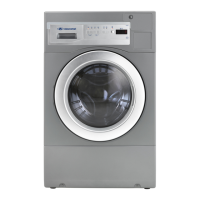
5.8 Install the Blocking Plate (Non-coin models)
Push the blocking plate into the coin vault until the tabs lock in place.
fig.W01600





 To Next Page