1.4 Getting Started
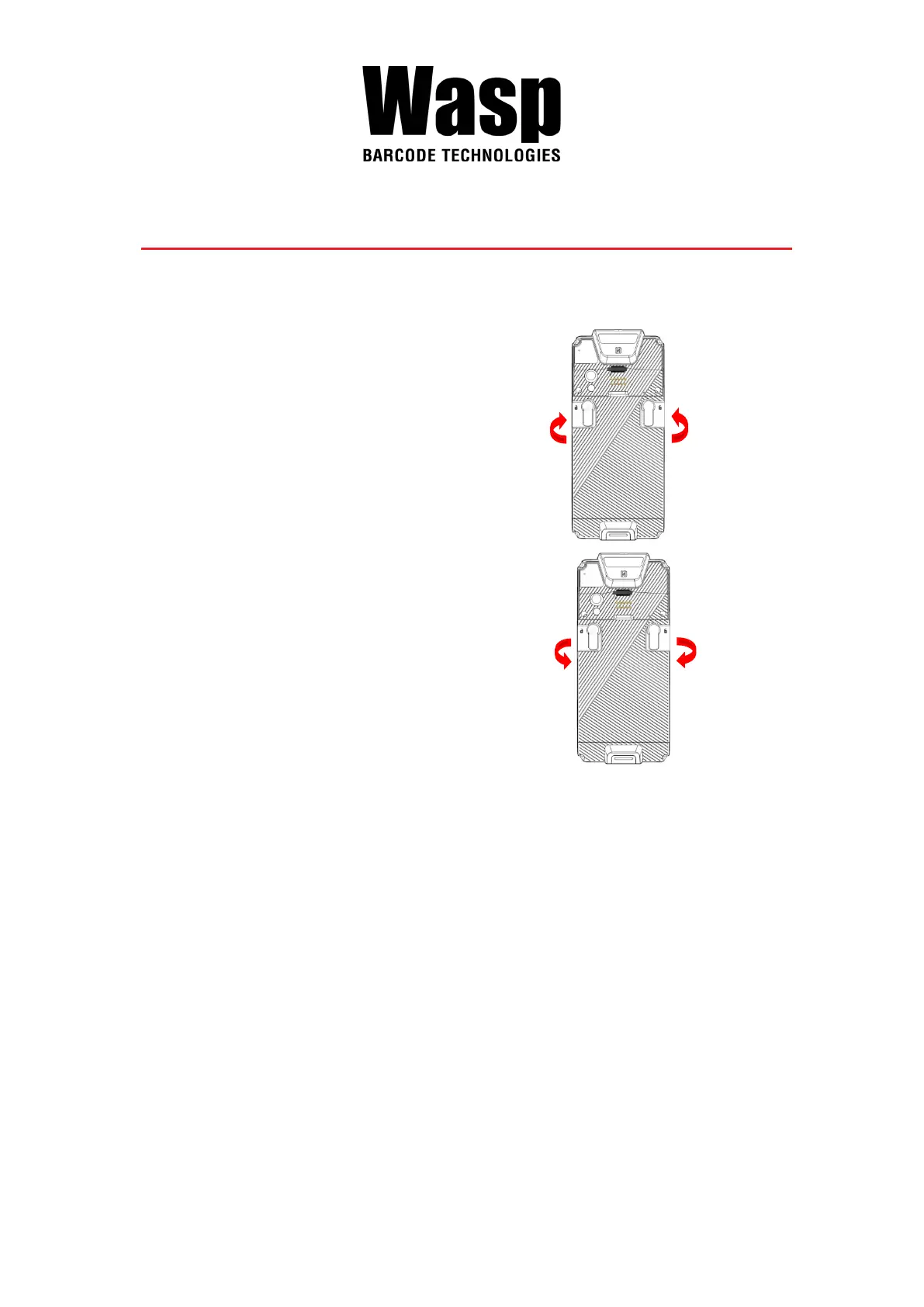
1.4.1 Remove / Install the Battery Cover
1. To unlock the battery by turning
up the two knobs. And pull the
battery up to remove it.
2. To lock the battery by turning
down the two knobs. Make sure
the battery is securely closed, or
you may be unable to turn on the
terminal.
WARNING! There is a risk of fire and burns if the battery is handled improperly. DO NOT
disassemble, crush, puncture, short external contacts, or dispose the battery
pack in fire or water. DO NOT attempt to open or service the battery. Dispose of
used batteries according to local recycling guidelines in your area.



 To Next Page