2.2 HF Setting
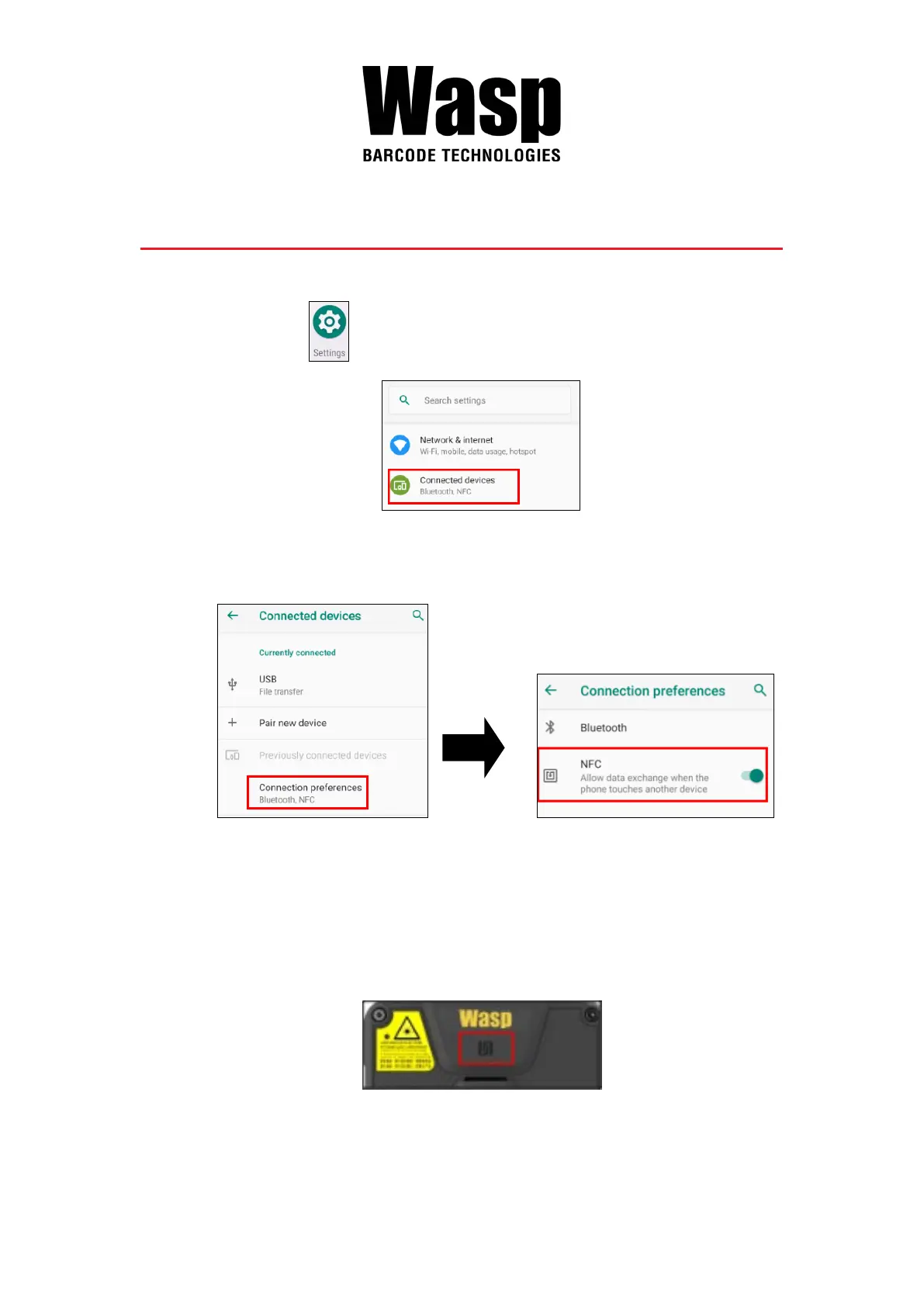
1. On the main screen, scroll the screen from down to top to reach the
APPS, and tap Settings and then tap Connected devices.
2. Tap Connection Preferences to enable NFC
3. Make sure that both devices are unlocked and have NFC turned on.
Also make sure that the NFC antenna area of DR5 and the other phone's
NFC area are close to one another. Slightly moving the phones until a
connection is made. Tap the screen.



 To Next Page