2.11 Performing Factory data reset
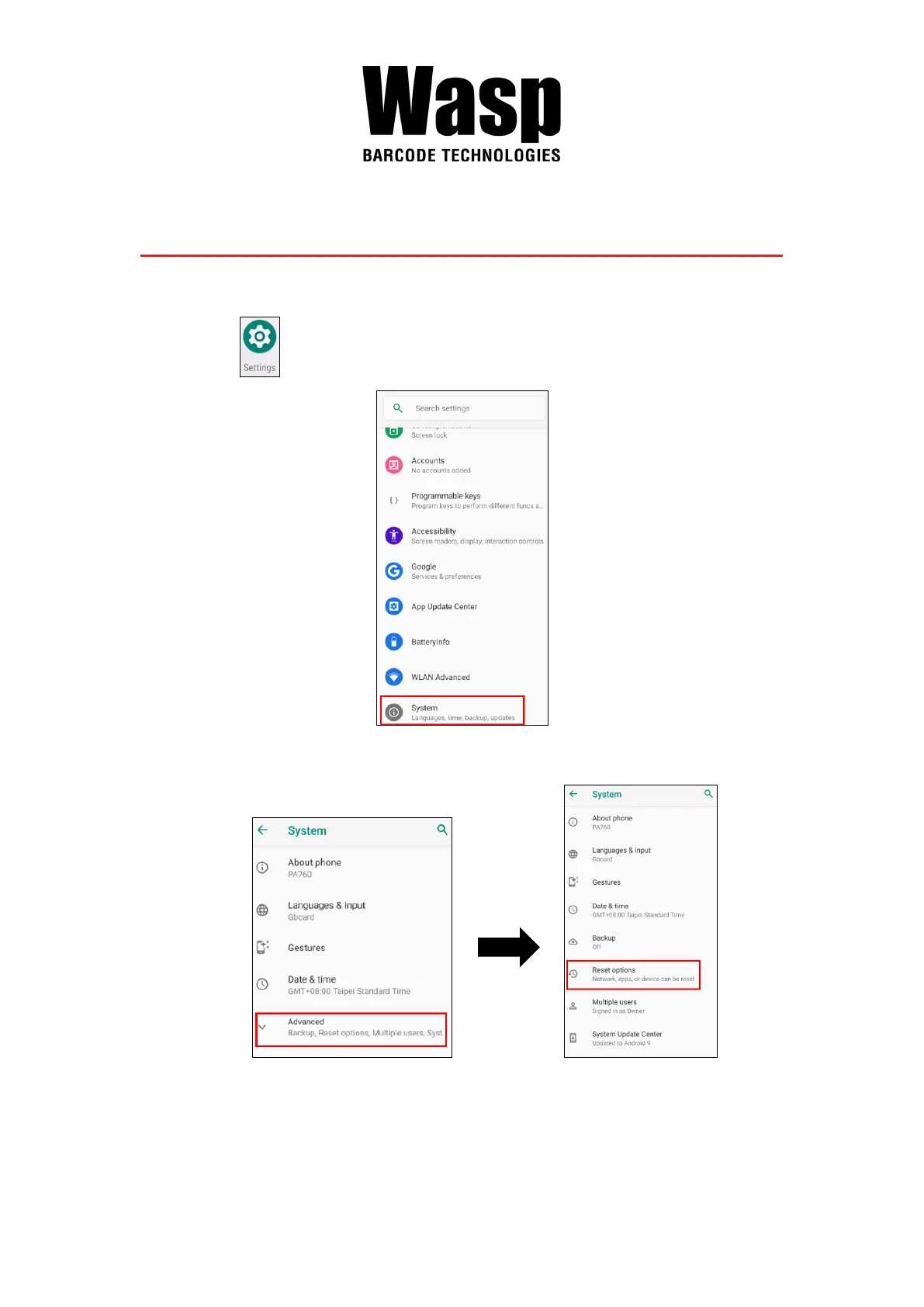
1. On the main screen, scroll the screen from down to top to reach the APPS,
and tap Settings and then tap System.
2. Tap Advanced for more options, and then tap Reset options.
3. You can reset the system on Reset options.
When you select Erase all data (factory reset), it will erase all folders.



 To Next Page