2.6 PAN Setting
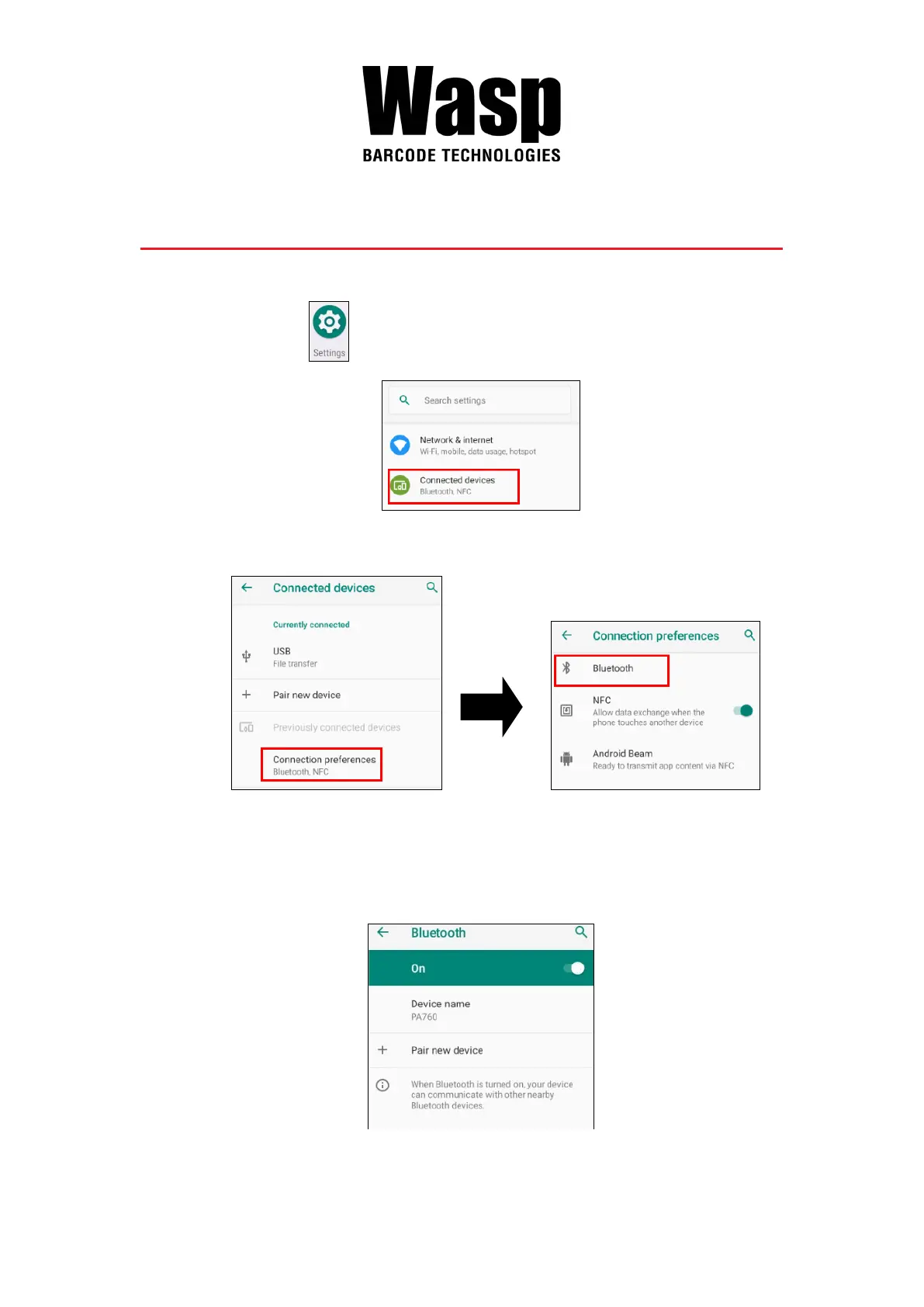
1. On the main screen, scroll the screen from down to top to reach the
APPS, and tap Settings and then tap Connected devices.
2. Tap Connection Preferences to enable Bluetooth
3. Tap ON / OFF to enable / disable Bluetooth
®
.
To pair the available device, turn Bluetooth
®
ON to choose the available
device.



 To Next Page