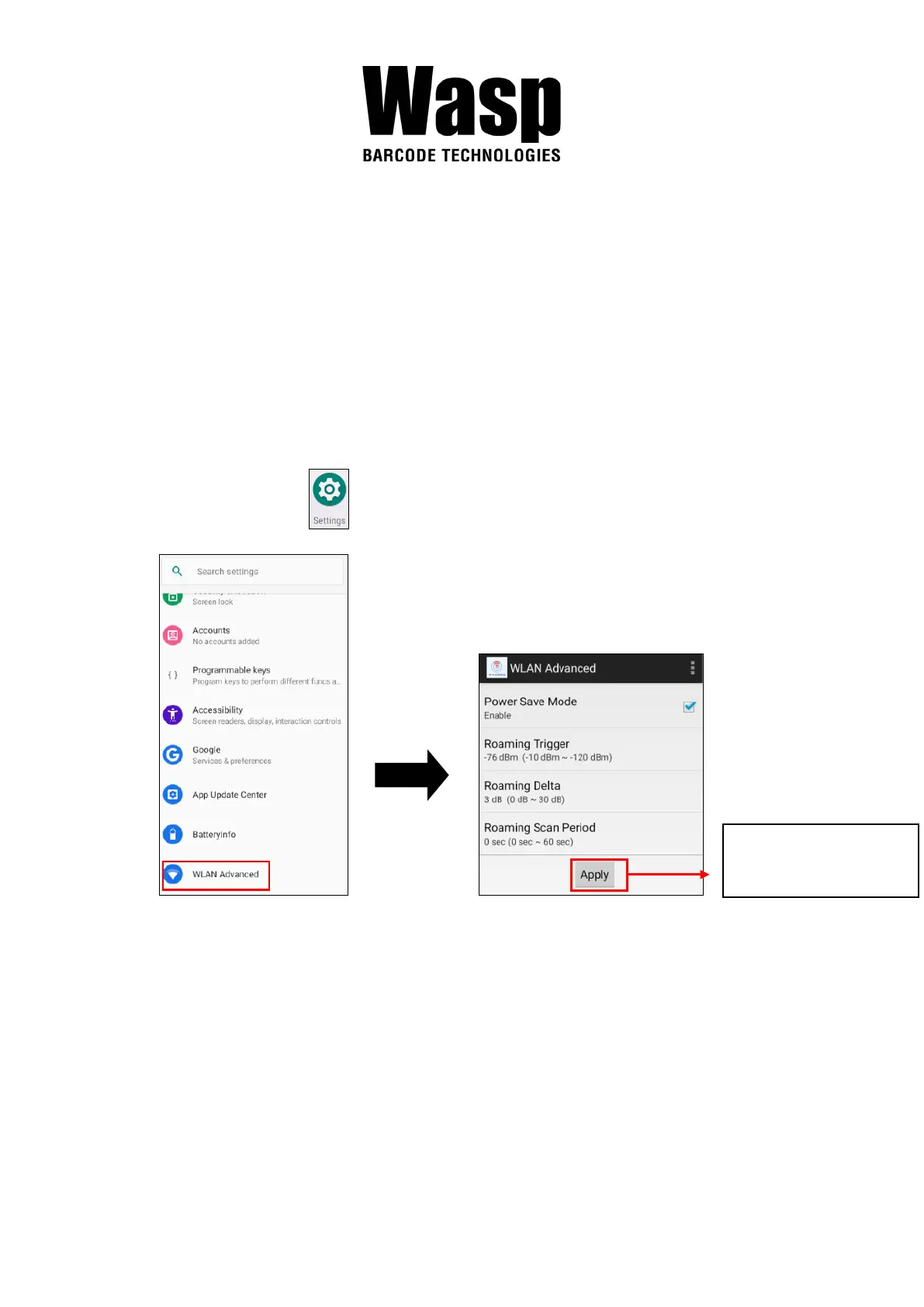
2.5.1 WLAN Advanced
WLAN advanced can enhance the roaming behavior when the device is in
areas of particularly low coverage or losing its connection to the network
infrastructure and provides the power save mode to control the power
consumption setting.
WLAN advanced will help users to manage the seamless roaming.
1. On the main screen, scroll the screen from down to top to reach the
APPS, and tap Settings and then tap WLAN Advanced.
Always tap “Apply”
to finish the setting.



 To Next Page