PROC.# 715001121, REV. A REBUILDING THE 2487 AUTOPURIFICATION FLOW CELL 2 OF 6
Procedure
Rebuilding the 2487 Autopurification Flow Cell procedure consists of four parts.
1. Removing the flow cell.
2. Disassembling the flow cell.
3. Rebuilding the flow cell.
4. Replacing the flow cell.
Removing the Flow Cell
1. Before removing the flow cell, flush the detector with a compatible solvent. Select a sol-
vent based on the samples and mobile phase being used. If using buffers, flush the
detector with HPLC-grade water.
2. Flush the detector with methanol.
3. Power down the 2487 Detector and disconnect the power cord.
4. Shut down the solvent management system.
5. Vent the system before disconnecting the solvent lines to the detector.
6. Remove the left front panel cover.
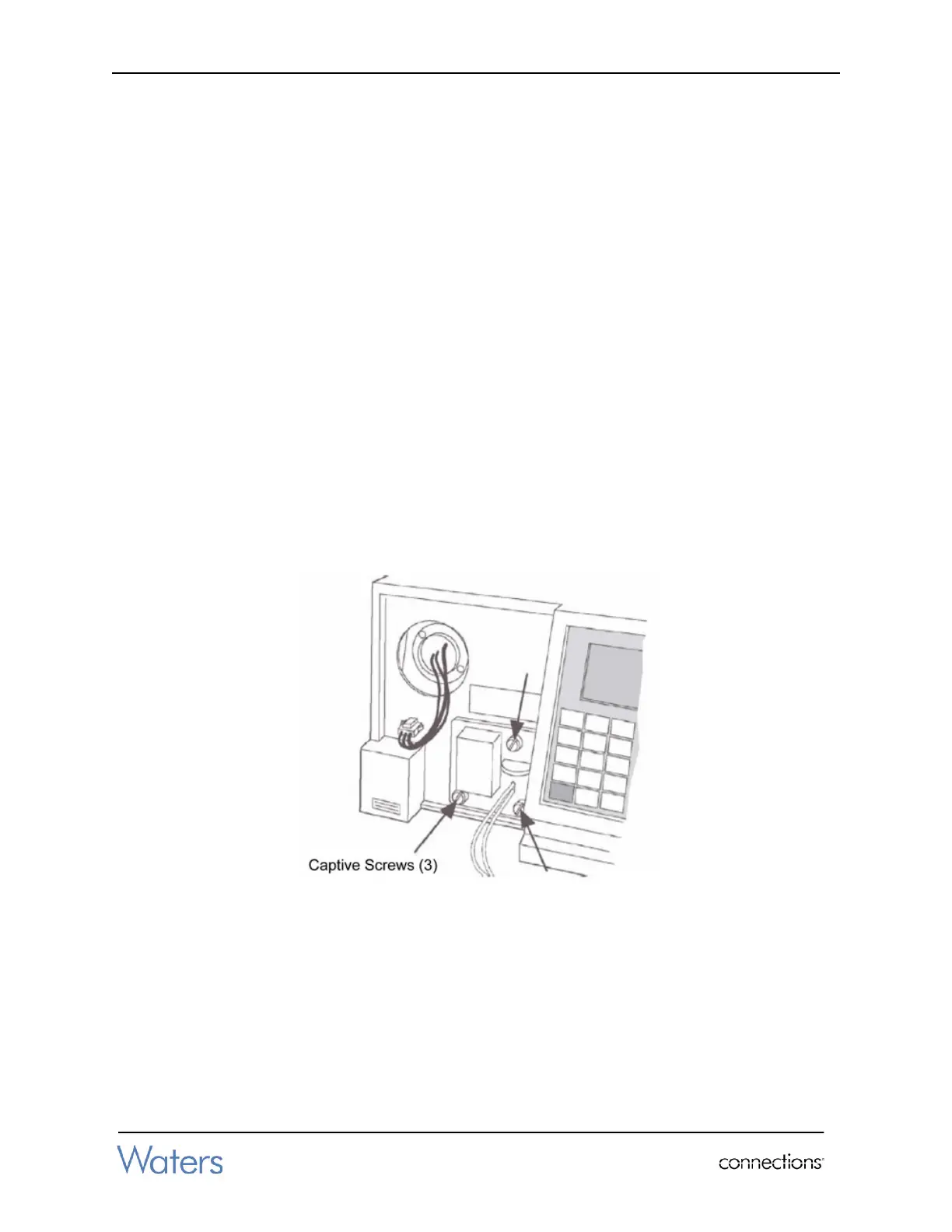
7. Using a 1/4-inch flat-blade screwdriver, loosen the three captive screws on the flow cell
assembly front plate (Figure 1).
Figure 1 - Removing 2487 Autopurification Flow Cell Assembly
8. Gently pull the assembly toward you, and out of the 2487 Detector chassis.



 To Next Page