2-12 Installing the Module
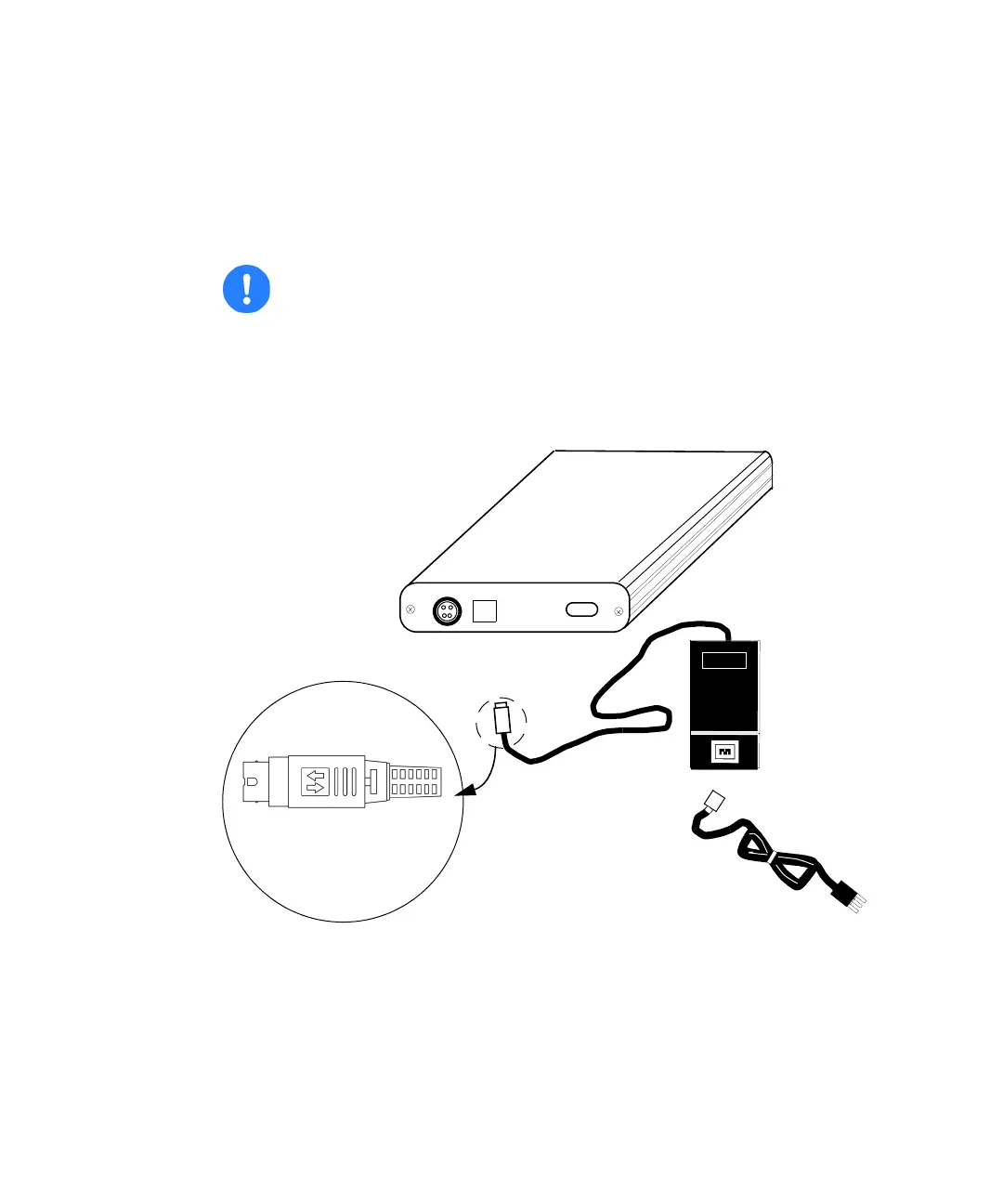
2. Connect the power supply cable to the e-SAT/IN module before
connecting it to the grounded AC source.
3. Connect the power supply to a properly grounded AC source. The power
supply provided specifically for the e-SAT/IN module is voltage
autosensing, and will adjust accordingly within ratings listed on the
device label. Ratings are in Appendix B.
e-SAT/IN module and power supply kit
Caution: To avoid damaging the power supply cable, slide the DC
power plug’s plastic coupler backward when disconnecting the
cable from the module. The power plug coupler contains a locking
mechanism that must be unlatched before it can be disconnected.
Power cable
(country specific)
Power supply
e-SAT/IN
Slide Connector Back to Unlock
module
Label


 To Next Page