Configuring the e-SAT/IN module 3-7
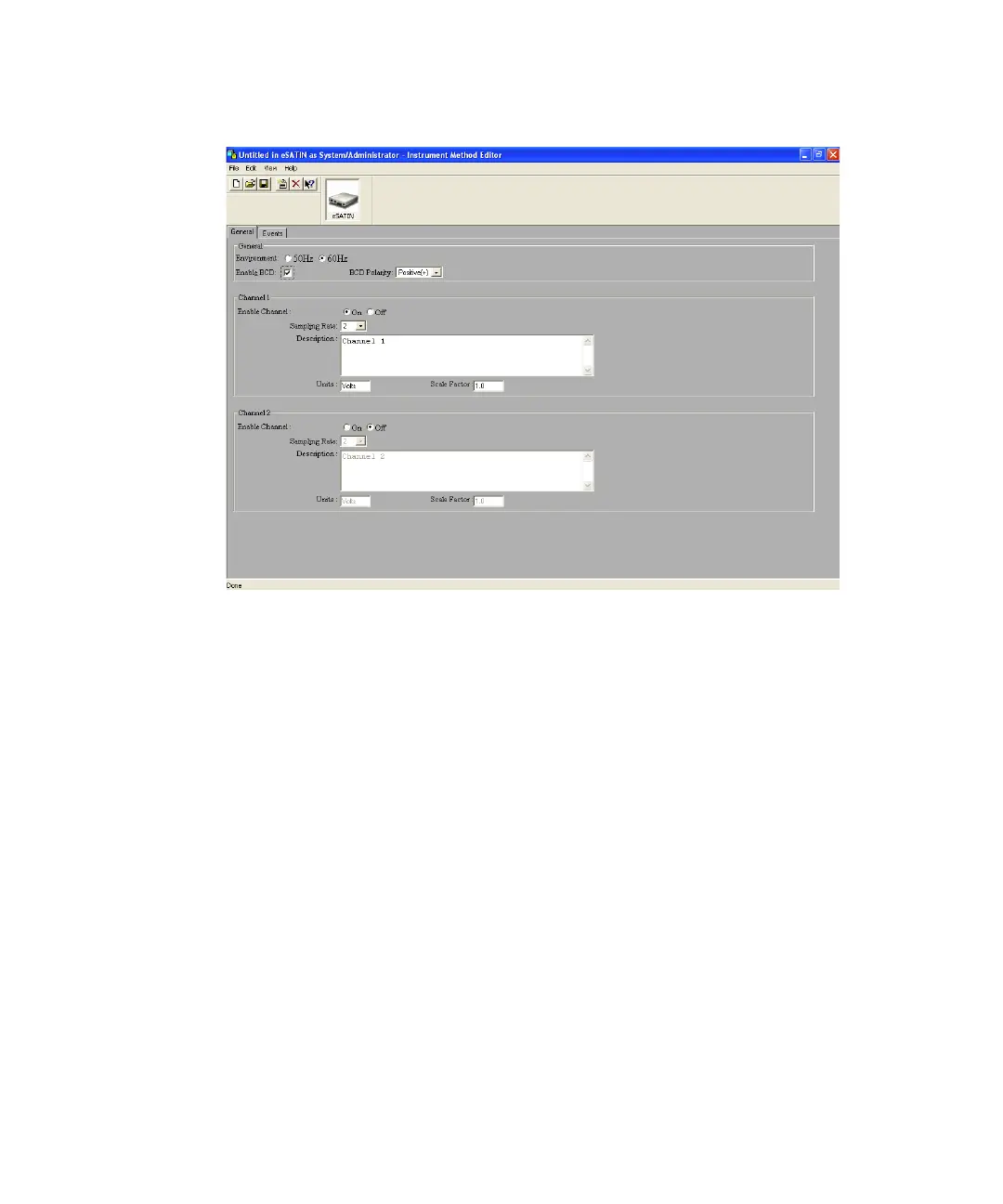
Instrument Method Editor, e-SAT/IN General tab
e-SAT/IN General tab
The General tab contains specific preferences that affect the performance of
the e-SAT/IN module. Refer to the “General Tab” topic in the Empower Help.
Selecting sampling rates
Quality data sampling relies on minimizing extraneous electrical noise in the
environment. External devices near the e-SAT/IN module can influence
baseline noise when the sample collection data rates are not optimized to the
power line frequency (50 Hz or 60 Hz).
The General tab contains a selectable field for the power source line
environment, allowing you to select sampling rates from a list of compatible
sampling rates.
Tip: The selected value does not affect the electrical power supplied to the
instrument.


 To Next Page