Users Manual
MC100
MC100 DeviceNet OM 1.01 EN.doc Version: 1.01 Page 32 of 36
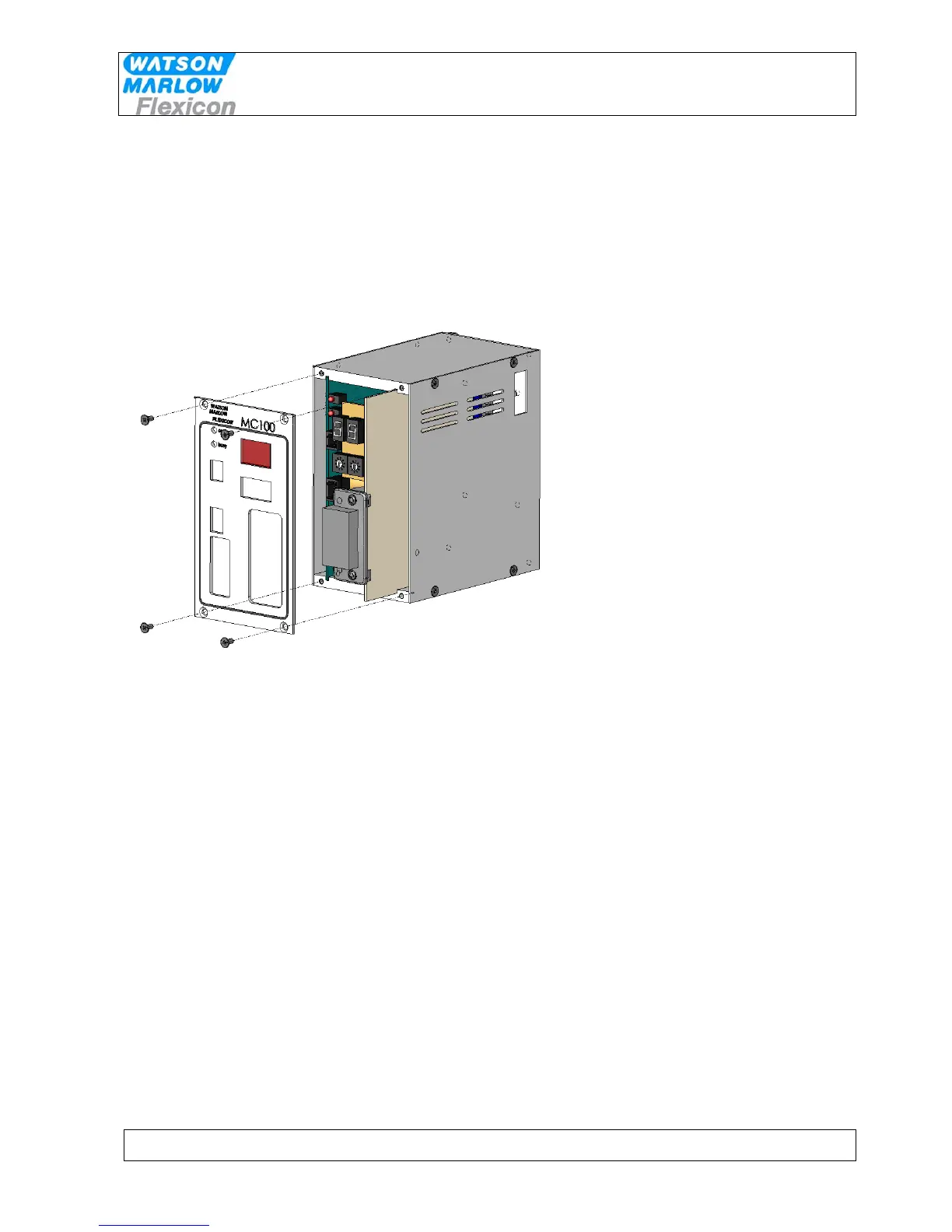
9.2 Opening the MC100 for service/replacement of PCB’s
1 Power OFF for the 24V to the Module
2 Remove all cables attached the MC100.
3 To access the 2 circuit boards, remove the front cover by removing the 4 countersunk pozidrive
screws and the front cover will come off. The 2 PCB’s are connected with a ribboncable and has
to be pulled out together for service on either one.


 To Next Page