Users Manual
MC100
MC100 DeviceNet OM 1.01 EN.doc Version: 1.01 Page 9 of 36
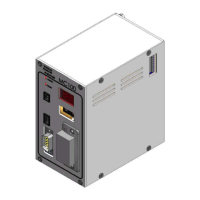
3.3.2 Identifying the parts
- MC100 module.
- Connector for Flexnet.
- Connector for Power Supply.
- Connector for Fieldbus.
3.4 Mounting
3.4.1 Choosing a place to mount the MC100
The MC100 must be mounted in an environment that adheres to the specifications in 3.2.
Be sure that the MC100 is also protected from the following conditions
- Rain and moistures
- Corrosive gasses
- Dust or metallic particles in the air
- Physical shock or vibration
- Magnetic noise (Examples welding machines, power devices, etc.)
On the left side of the module is located a dipswitch (se 3.1), which should be accessible.


 To Next Page