25
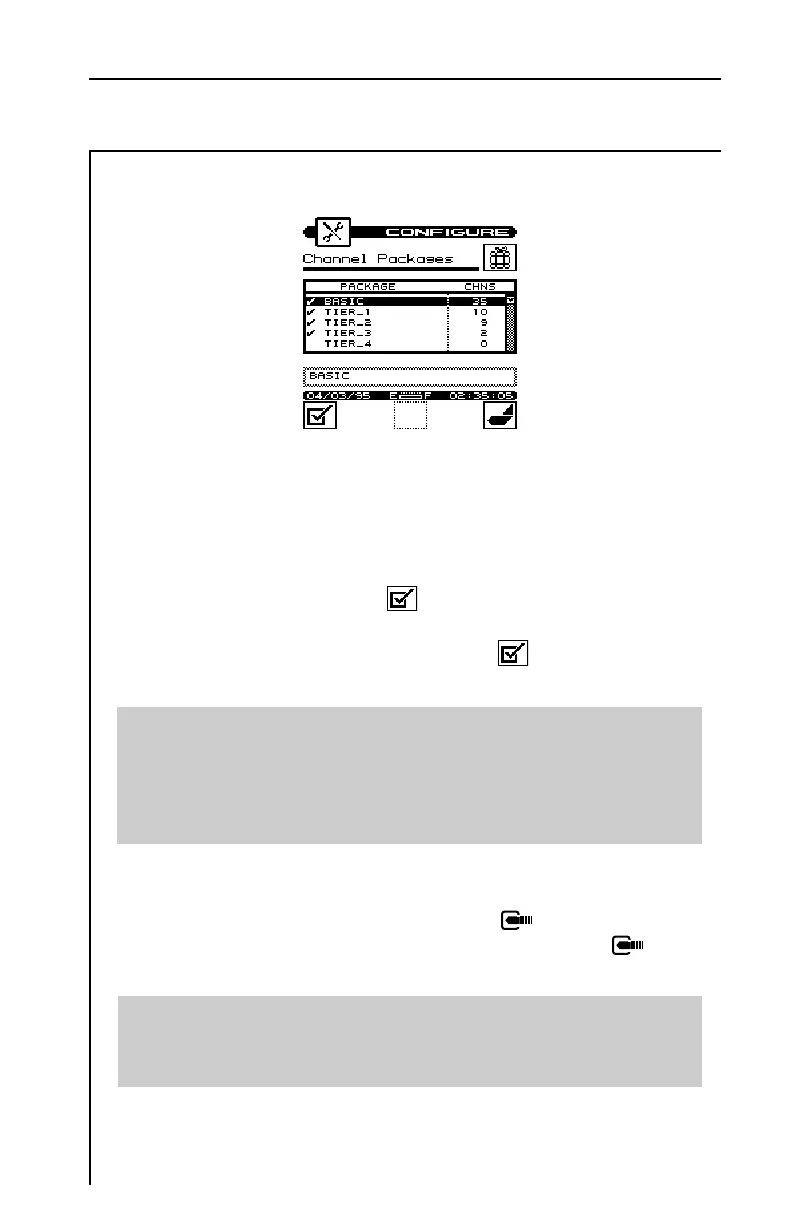
These are the packages that will be available to you when you edit
a channel. You will be able to select from one of these packages for
each channel in the plan.
To enable a package, press the softkey. A check mark appears
in the left-hand column to indicate that the package is enabled. If
the package is already enabled, pressing the softkey disables it.
You will be asked to verify your intention to disable the package.
Important
The number in the right-hand column of the package list indicates
how many channels are currently using the package. When you
disable a package, all channels using that package default to NONE
(no package).
To edit the name of a package, use the up or down arrow to high-
light the desired package and then press the key. You can then
use the edit box to change the name. Be sure to press the key
when you are finished to terminate the entry.
Tip
There is no minimum on the number of channels that a package can
contain. If you want, you can create a package for only one channel.


 To Next Page